
Agent Licensing
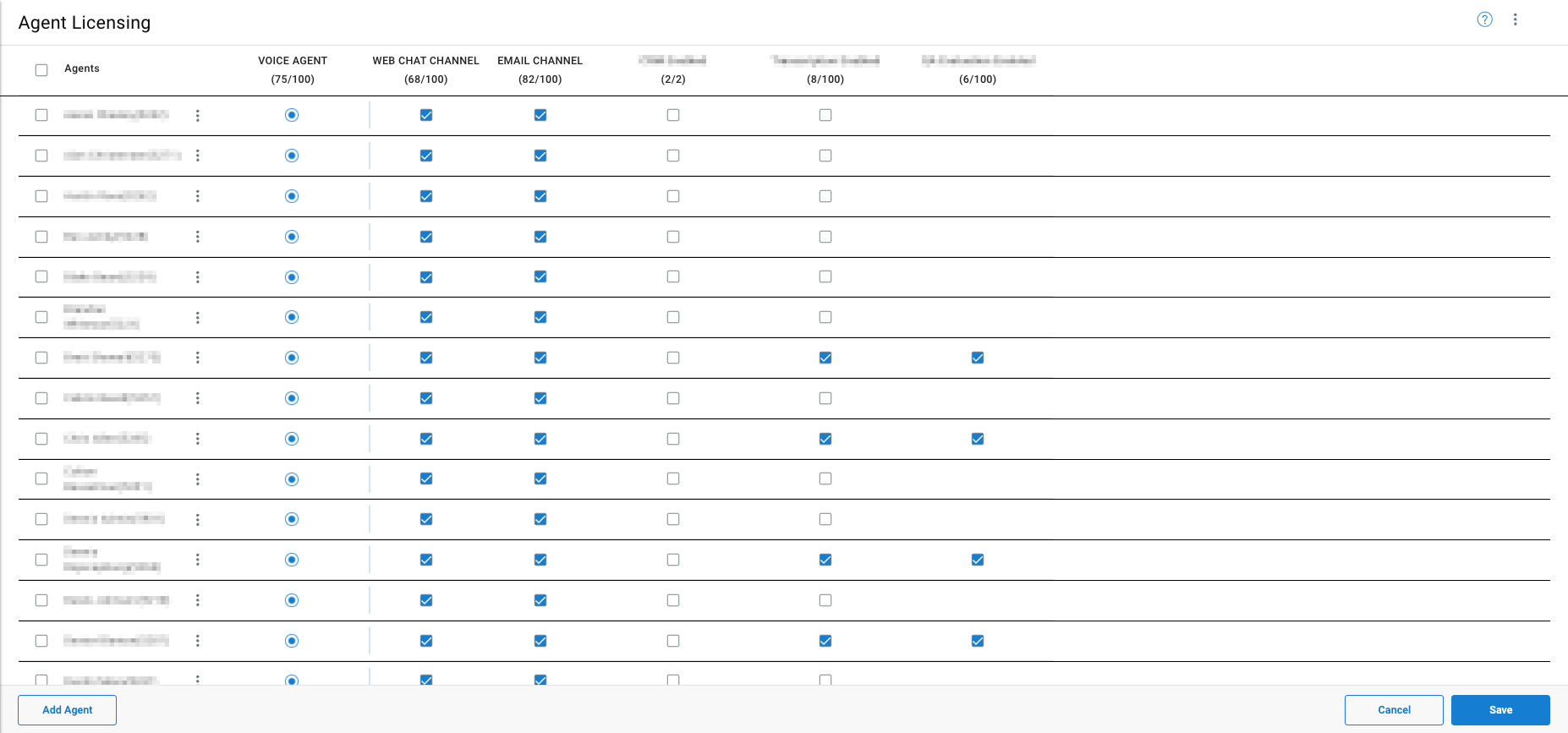
Agent Licensing controls access to Contact Center–specific functionality, including queue participation, call handling features, reporting visibility, and WebRTC-based agent clients.
Licenses are applied at the user level and define whether a user can log in as an agent, handle contact center interactions, and appear in real-time and historical reporting. Agent Licensing covers WebRTC-based agents, which are created and managed directly within CCaaS. For agents provisioned through a supported UC platform, see UC Phone Licensing.
Accessing Agent Licensing
Agent Licensing is accessible to accounts with Supervisor or Admin permissions.
- Navigate to
User Management > Agent Licensing - All licensed CC agents are listed on this page
WebRTC-Based Licensing
CC licenses may be applied to users on most UC systems using WebRTC, which operates through an embedded soft-phone within the CC-Agent Client. WebRTC agents are not required to exist in the underlying UC system and must be created manually within CCaaS.
Manually Adding an Agent
- Click
Add Agent - Enter the agent information:
Field Description Name The agent's full name Email Address The email address used to authenticate the WebRTC account Extension A unique extension number Preferred Name How the agent's name appears during WebRTC interactions No Answer Destination The destination to route calls when the agent does not answer — see No Answer Destination Connected Numbers One or more phone numbers for desk phones, soft-phones, or mobile devices the agent can use to receive contact center calls instead of the embedded WebRTC soft-phone — see Connected Numbers Recording Mode Applies a recording rule to the agent — see Recording Modes and Options: -
Automatic— records all calls and allows agent recording controls -
Automatic (Pausing Prohibited)— records all calls; agent recording controls are disabled -
Manual— does not automatically record; agent recording controls are enabled -
Disabled— no recording; agent recording controls are disabled
-
- Recording Options — see Recording Modes and Options:
Option Description Allow agent to review their own call recordings Grants the agent access to their own call recordings in CCAC Agent may download their own recordings Allows the agent to download their own call recordings Allow agent to review skill call recordings Grants the agent access to recordings from all calls within their assigned skill queues, including calls they were not a part of Agent may download skill call recordings Allows the agent to download recordings from shared skill queues and create downloadable snippets - Click
Save
Best Practice: Extension AssignmentWebRTC agents should be assigned to a dedicated extension range separate from existing UC extensions. Segregating ranges prevents conflicts, simplifies troubleshooting, and makes WebRTC agents easily identifiable.
For example:
- UC user extensions: 2000-2999
- UC group extensions: 3000-3999
- WebRTC agent extensions: 4000-4999
Best Practice: WebRTC vs. UC Email AddressesWebRTC agent email addresses must be unique. When an email address is already associated with a UC user, a modified format using plus addressing should be used for the WebRTC login — most email providers support this natively with no additional configuration required.
For example:
- UC login:
[email protected]- WebRTC login:
[email protected]This maintains email uniqueness while preserving a clear association between the UC user and the WebRTC agent account.
If the email provider does not support plus addressing, a dedicated email address or a provider-level email alias should be created for the WebRTC account instead
Assigning Licenses
A license is assigned to a WebRTC agent to enable contact center functionality. Available license types:
- Voice
- Web Chat
- SMS
- Transcription
Once licensed, the agent is authorized to:
- Log in to CC-Agent Client
- Use the embedded WebRTC soft-phone
- Place and receive calls
- Participate in assigned queues
- Appear in real-time reporting — wallboards, dashboards, and reports
Queue and Skill MembershipAfter a license is assigned, the agent must also be configured for one or more queues and skills. Queue and skill assignments determine how calls are delivered to the agent, how the agent is counted in real-time statistics, and which metrics reflect the agent's activity.
An agent with a license but no queue or skill assignment will not receive inbound calls via queue or skill routing.
Updated 3 months ago