
Time of Day Profiles
Time of Day Profiles define recurring schedules based on selected days and times.
These profiles help determine when specific routing behavior should apply during normal operating hours, after-hours coverage, lunch periods, or other routine schedule-based conditions. They are typically used when call or message handling needs to follow a predictable weekly pattern.
These profiles can be referenced by IVR conditions or other supported features to adjust call or chat handling.
System Time-Zone EnforcementThe CCaaS Server time-zone will apply for the configured date(s) and time(s).
Accessing Time of Day Profiles
Time of Day Profiles are accessible to accounts with Supervisor or Admin permissions.
- Navigate to
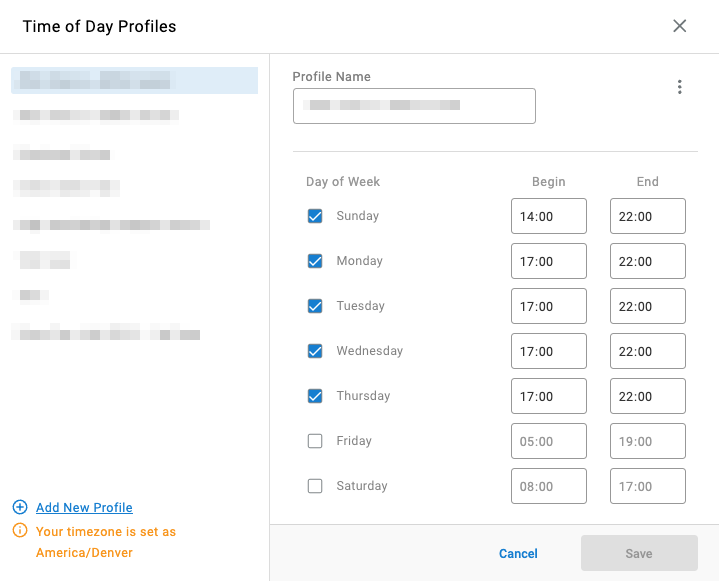
Routing Configuration > Time of Day Profiles - All configured time of day profiles are listed in the modal
Building a Profile
Assigning Profiles to Enable Routing BehaviorCreating a profile does not automatically change routing behavior; the profile must be assigned where it will be evaluated.
- Select
Add New Profilein the bottom-left of the modal - Name the profile
- Select the affected day(s) of the week
- Configure the start and end time for each selected day in 24-hour format
- Click
Saveon the bottom-right of the modal
Updated 2 months ago