
Create a Netsapiens Forwarding Rule for Failover/Registration Failures
This article demonstrates how to use the best practices for creating a failover rule within the Netsapiens interface for when SIP registration fails
How To: create a failover/forwarding rule that handles overflow from Xima CCaaS if registration fails
Similar questions: using Netsapiens custom rules, tips for failing over, best practices for outages, best practices, and settings for Netsapiens routing, fallback best practices
Purpose: Demonstrate how to use Netsapiens Answering Rules to failover in the event of an outage or registration failure in Xima CCaaS
Steps
Create a new Answering Rule to forward calls
-
Log into your Admin Portal instance of Netsapiens
-
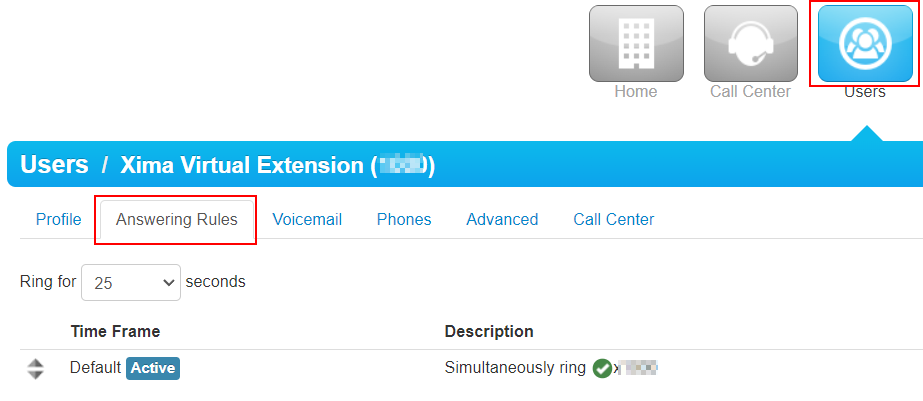
Navigate to Users and find the handset you created for routing calls to Xima CCaaS
-
Click on the handset you created and open the Answering Rules menu
-
In the top-right corner, click the Add Rule button
-
In the new menu, set the "Time Frame" to match your hours of operation
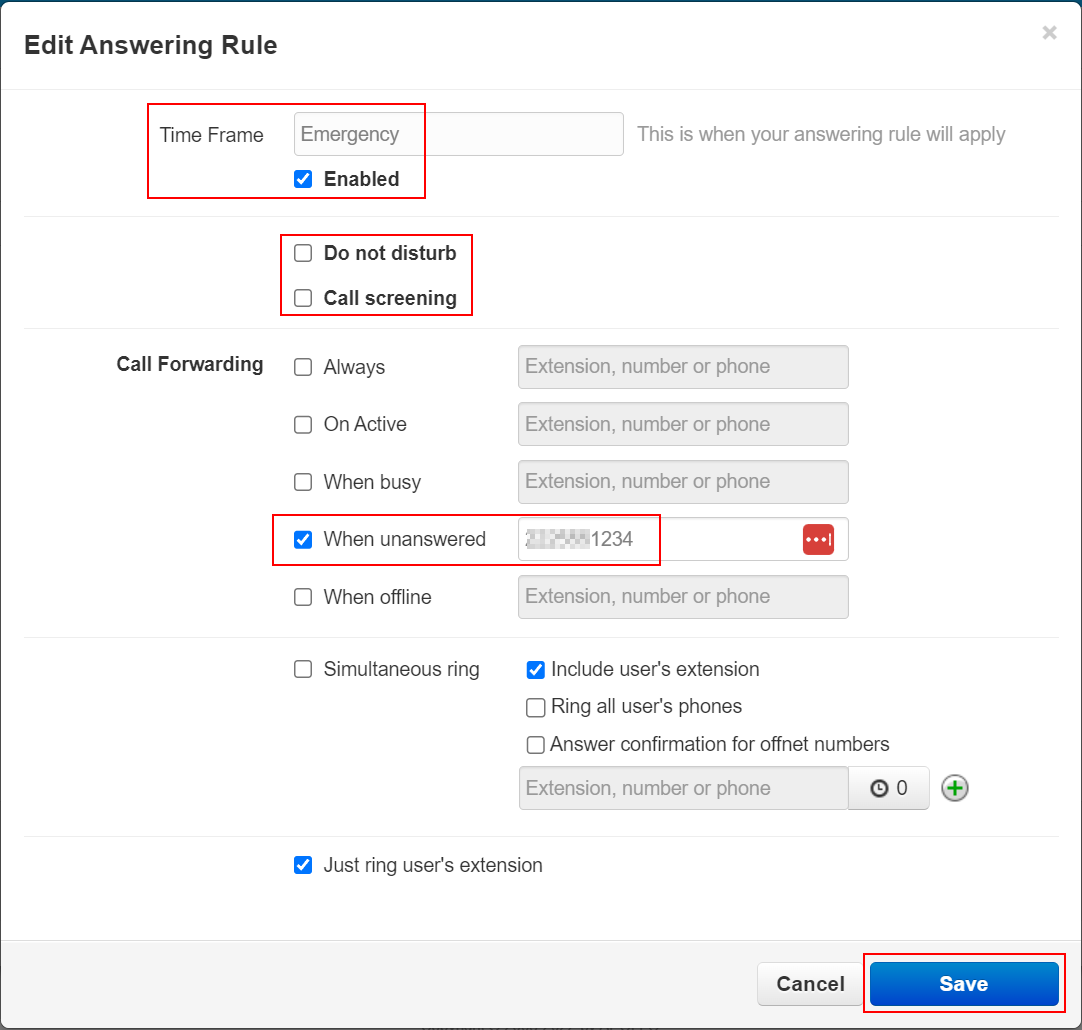
- Select "Enabled"
- Make sure that "Do not Disturb" and "Call Screening" are de-selected
- Under "Call Forwarding" select the "When unanswered" and "When Offline" option
- Set an extension, number, or phone that you would like calls to fail over to
- Select Save
- With this setting, if the handset fails to answer calls or is unregistered, Netsapiens will automatically route calls to the specified destination.
Updated about 2 months ago