
Wallboards
Wallboards are configurable, real-time dashboards that display live contact center performance metrics.
Wallboards are used to monitor queue activity, agent availability, call volumes, wait times, service levels, and other operational KPIs in real time. Wallboards can be customized per team, queue, or business function and are commonly displayed on shared monitors or TVs to promote situational awareness and rapid response to changing conditions.
Accessing Wallboards
Wallboards are accessible to accounts with Supervisor or Admin permissions.
- Navigate to
Realtime Displays > Realtime Wallboards - All configured wallboards are listed on this page
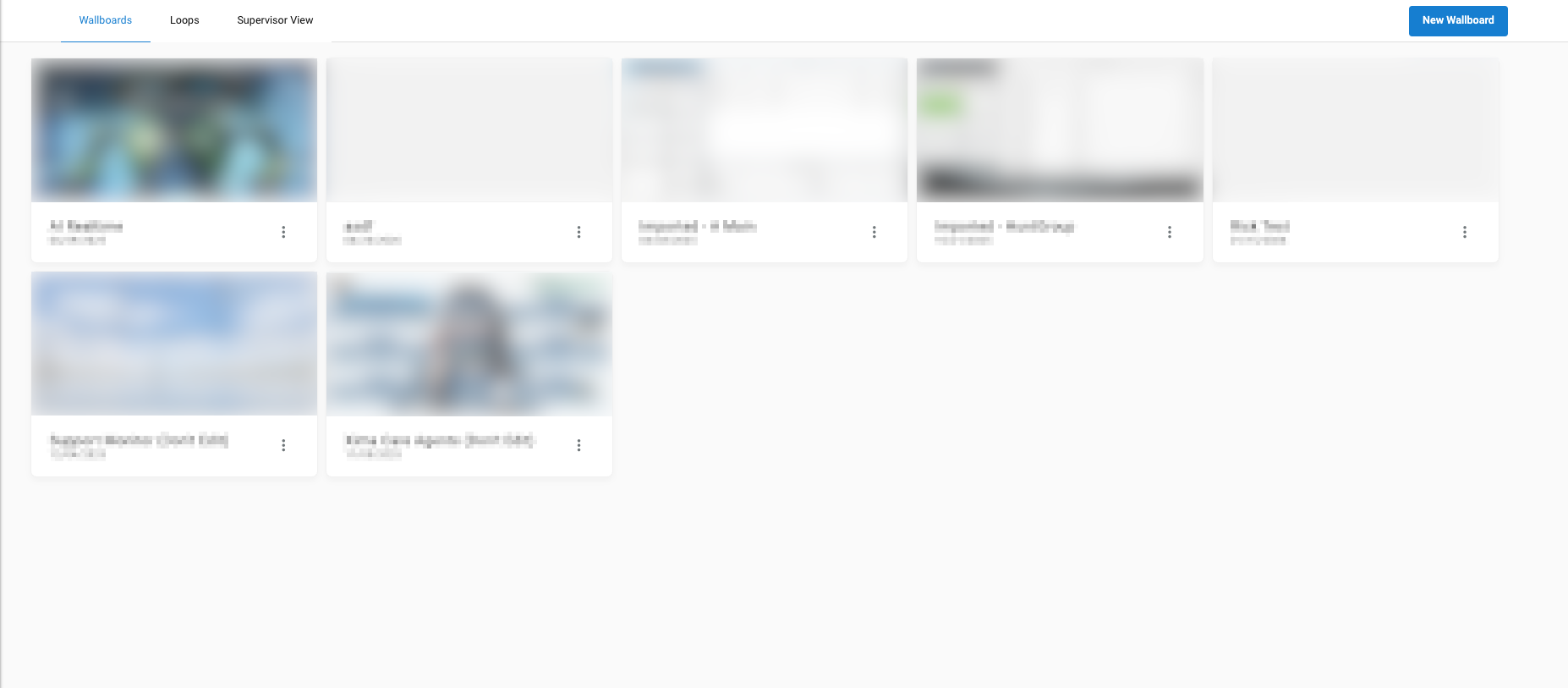
Managing a Wallboard
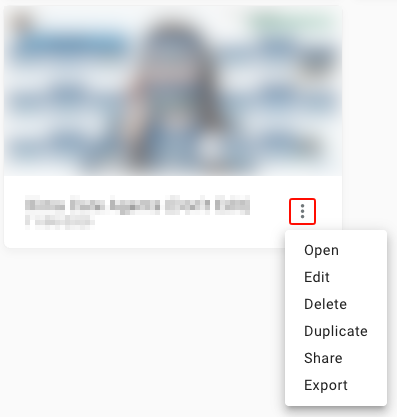
Click the ellipsis on a wallboard to open its options:
Open— opens the wallboard as a displayEdit— opens the Wallboard EditorDelete— deletes the wallboard; a confirmation prompt appears before deletionDuplicate— creates a copy of the wallboard with all elements intactShare— makes the wallboard viewable to selectedRolesExport— downloads the wallboard as aJSONfile, which can be used to import the wallboard when creating a new one
Building a Wallboard
-
Click
New Wallboard
-
Select a starting point:
Custom— starts with an empty canvas- Any standard Xima Wallboard template
-
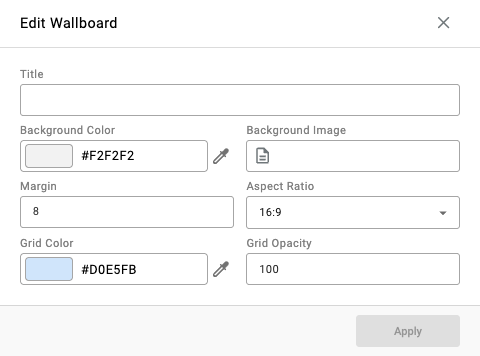
Enter a title for the wallboard
-
Configure optional settings as needed:
| Field | Description |
|---|---|
| Background Color | Sets the wallboard's background color. |
| Background Image | Sets an uploaded image as the wallboard's background. |
| Margin | Sets the spacing around the edge of the wallboard canvas. |
| Aspect Ratio | Sets the canvas's width-to-height proportions. |
| Grid Color | Sets the color of the alignment grid used when placing widgets. |
| Grid Opacity | Sets the visibility of the alignment grid, as a percentage. |
- Click
Applyto open the wallboard in the editor - Click
Save and Edit(next to the wallboard options) to apply subsequent configuration changes
Updated 3 months ago