
AI Agent — Knowledge
The Knowledge step gives an AI Agent documents — policies, processes, and FAQs — that it reads to answer open questions in its own words.
Knowledge is the fourth step of the Agent Builder. It holds the documents an AI Agent reads to answer open questions — policies, processes, FAQs, and what to expect — and the bot answers from them in its own words. Knowledge is optional; left empty it still counts as finished, but a bot with nothing to read can answer only from its Persona.
Document Changes Go Live Within About 30 SecondsMost changes in the Agent Builder wait until the AI Agent is published. Knowledge documents do not: on a live AI Agent, adding, editing, replacing, or deleting a document affects customer conversations almost immediately. Double-check before saving.
Accessing Knowledge
Knowledge is accessible to accounts with Admin permissions.
- Navigate to
AI Configuration > AI Agent Profilesand select the pencil icon next to an AI Agent - Select
Knowledgein the step list; the workspace shows theDocumentslist above theAdd documentsarea
Choosing Knowledge or Lookup
Documents belong in Knowledge; spreadsheets of records belong in Lookup, where the bot finds the one matching row and reads back exactly what is in it.
| Information Type | Use | Example |
|---|---|---|
| Written in paragraphs | Knowledge | A cancellation policy, or what to bring to a first appointment |
| A list where each row is one thing, with the same details for each | Lookup | A list of doctors with specialty, office, address, and accepted insurance |
| A question customers ask by naming something specific | Lookup | "Is Dr. Bennett taking new patients?", "What's the status of order 10432?" |
| A question customers ask in general | Knowledge, or a Lookup table with discovery questions turned on | "Are walk-ins accepted?", "Which clinics are open on Saturdays?" |
Customers are never asked which document or table an answer should come from — the bot decides for itself.
Adding Documents
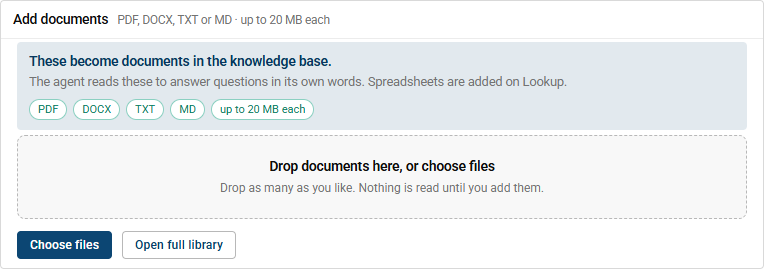
PDF, DOCX, TXT, and MD files up to 20 MB each are accepted.
- Drag files onto
Drop documents here, or choose files, or selectChoose files— any number can be added at once - Each file becomes a document in the AI Agent's knowledge; nothing is read until it is added
Spreadsheets Belong in LookupA file made of rows and columns should be added on the Lookup step so the bot can look records up exactly.
Managing Documents

The Documents list shows each file's name, word count, and the date it was added. Each document has the following actions:
| Action | Description |
|---|---|
Rename | Changes the document's display name |
Replace | Uploads a new version in place of the current one |
Delete | Removes the document from the AI Agent's knowledge |
Full Library
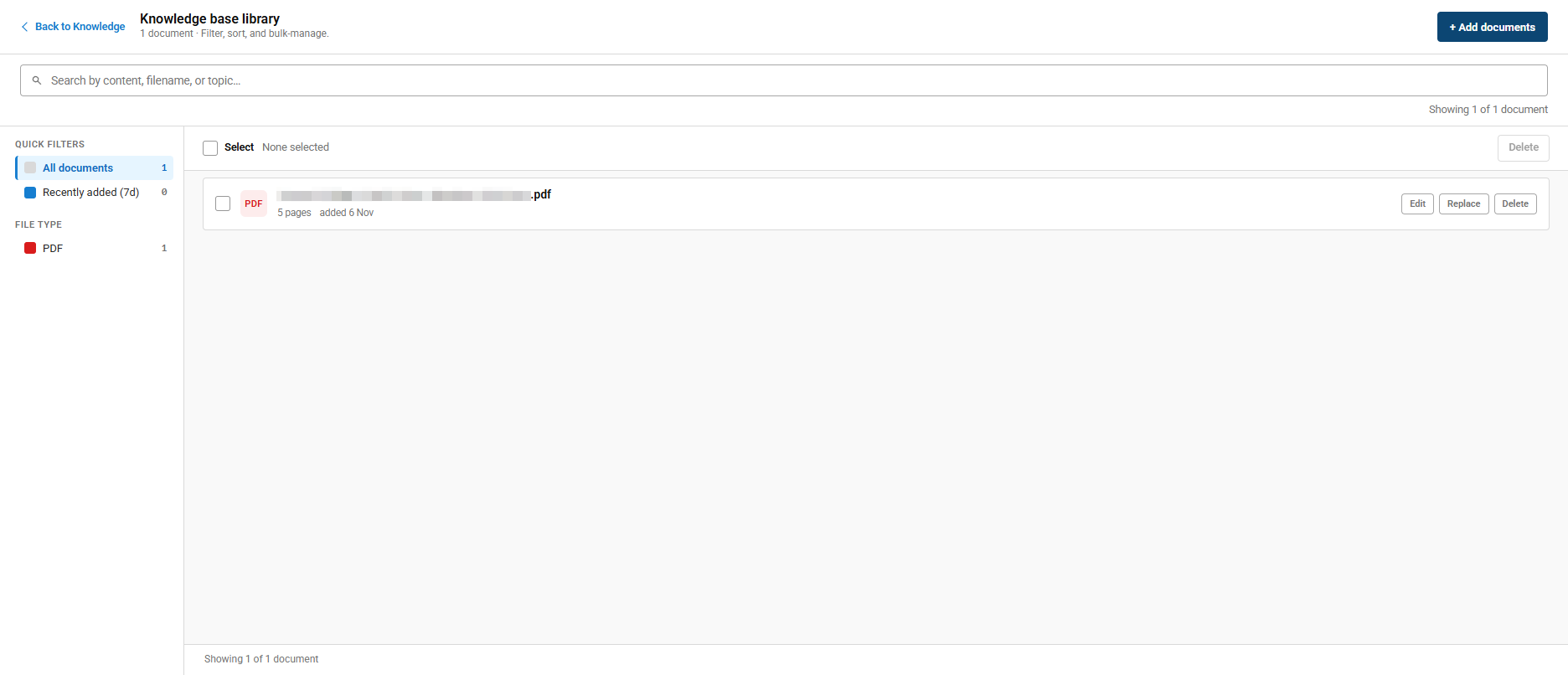
Select Open full library to manage a larger set of documents. The library supports:
- Search by content, filename, or topic
- Quick filters:
All documents,Recently added(last 7 days), and file type - Bulk delete: select several documents, then select
Delete - Edit: correct a document's text directly — see Editing a Document's Text
+ Add documentsto upload more
Select Back to Knowledge to return.
Editing a Document's Text
Selecting Edit in the library corrects or updates a document without re-uploading it. The edit applies to the extracted text — the plain text the bot actually reads. Formatting, images, tables, and layout from the original file are not kept. Select Save changes to apply the edit, or Cancel to leave it unchanged.
Writing Documents the Bot Can Use Well
- One topic per section, with a clear heading. Headings phrased as questions work especially well
- Write the answer, not just the topic. "Parking is free in the lot behind the building" rather than "Parking information"
- Keep documents current. The bot believes what a document says, so remove outdated documents rather than adding a newer one alongside them
- Put tables of records in Lookup. Text extraction loses table layout, so the bot reads tables in documents less reliably
Checklist
- Written policies and FAQs are on Knowledge, and lists of records are on Lookup
- Old or conflicting documents have been removed
Updated about 3 hours ago