
Reports — Finalize the Report
The final step in Create Report, setting the report's title, sort order, and optional charts before saving.
The Finalize Report step in Create Report sets the report's title, sort order, and optional charts before it is saved.
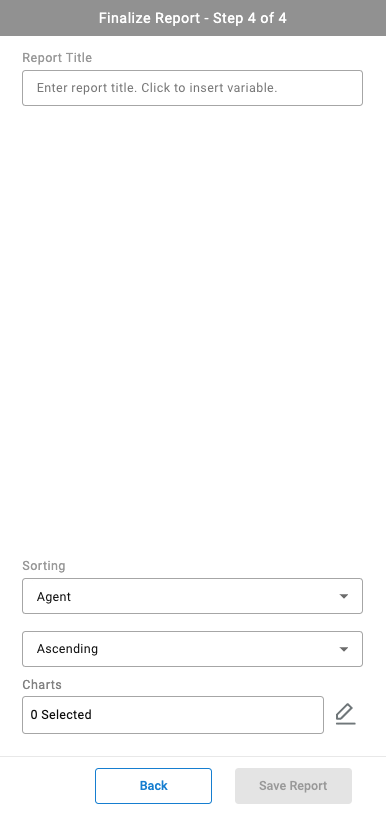
Report Title
The Report Title field accepts a fixed title, or a title built from one or more inserted variables — for example, embedding the report's date range so a saved report's title always reflects the range it was run for. Selecting inside the field opens the variable picker.
Sorting
| Field | Description |
|---|---|
| Sort Column | The column report rows are sorted by |
| Sort Direction | Ascending or Descending |
Charts
Selecting the pencil icon next to Charts opens chart configuration, where one or more charts can be added to visualize the report's data.
Enable Sub Reports
Enable Sub Reports splits the report's results into a nested report per value of a selected parameter, instead of one combined result — see Sub-Reports.
Saving the Report
Save Report is unavailable until a report title has been entered.
- Enter a
Report Title - Configure
Sortingand optionally addCharts - Select
Save Report
Once saved, the report behaves the same as a standard report — see My Reports.
Updated about 2 months ago