
IVR — Parameters
Parameters are named values that carry information through an IVR call flow, either supplied by the call itself or captured by an action.
A parameter is a named piece of data attached to a call that a Parameter condition can check against a filter operator. Some parameters arrive with the call automatically — basic call information or SIP header fields — while others are created mid-flow by an action that captures caller input or looks up external data. Together, these three parameter types are what let an IVR branch on more than just a caller's keypress.
Standard Parameter
Basic information about the call itself, available without any action needing to set it first.
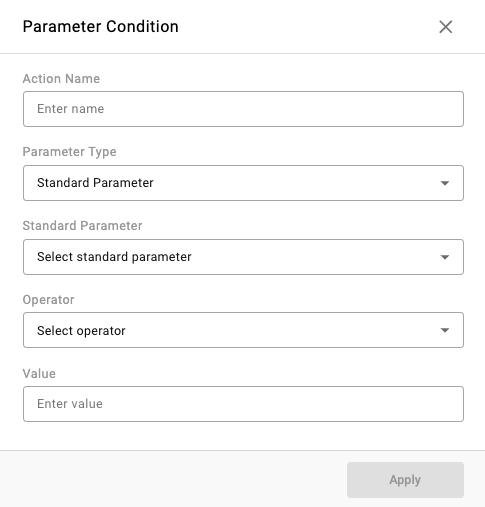
| Parameter | Description |
|---|---|
| Caller ID | The caller's caller ID number. |
| DNIS | The number dialed by the caller, when supplied by the carrier or UC platform. |
| External Number | The external number associated with the call. |
| Tag | A tag associated with the call. |
Not every UC platform or carrier supplies every Standard Parameter on every call — DNIS in particular depends on whether the number dialed is passed through. When a Standard Parameter is not reliably present, a SIP Header parameter is often the more dependable alternative.
SIP Header
Fields read directly from the call's SIP header, useful when the information needed is not exposed as a Standard Parameter.
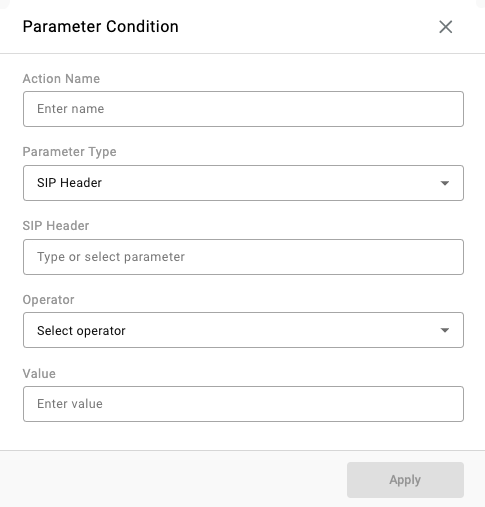
| Header | Description |
|---|---|
| FROM | Contact information of the call's initiator, including name and address. |
| FROM (Caller ID Only) | The caller ID portion of the FROM header only. |
| CONTACT | The contact address for the SIP session. |
| TO | Information about the called party or recipient of the request — often where a dialed number or extension prefix appears. |
| P-ASSERTED-IDENTITY | The verified identity of the user sending the message, commonly used to present a customer's calling number rather than the raw telephone number. |
| USER-AGENT | Information about the device or system that originated the call. |
| REFERRED-BY | The identity of the party that referred or transferred the call in. |
Only headers actually passed through by the carrier or UC platform are usable — confirm what is present in live traffic before building a condition around a specific header. A tool such as Wireshark, or a request to the carrier or UC platform for a sample trace, can confirm the exact header format in use.
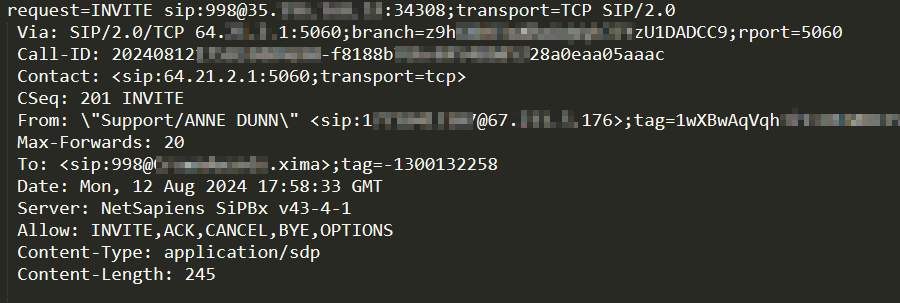
Where the Dialed Number Shows UpThe number dialed does not always exist in a SIP Header or in DNIS. When it does, it most often appears in the TO or FROM field — sometimes as the number itself, and sometimes as a prefix or domain added by the UC platform. See Call Routing Methods for a worked example of identifying and matching this value.
Session Parameter
A value captured or set during the current call, available for the rest of that call's flow. Unlike Standard Parameters and SIP Headers, a Session Parameter does not exist until an action creates it.
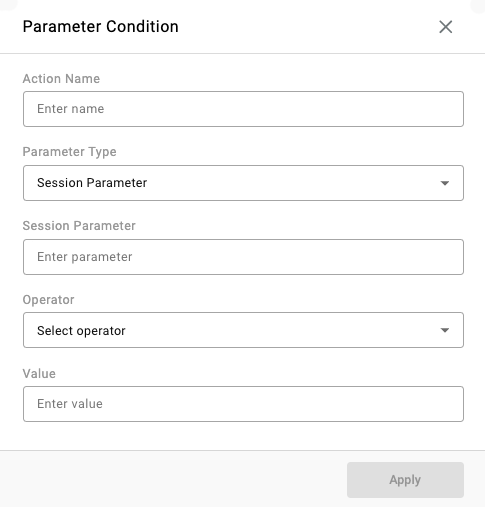
The following actions write to a Session Parameter ID — see Actions for the full field reference on each:
| Action | What it stores |
|---|---|
| Collect Digits | The digits entered by the caller. |
| Collect Confirmation | The confirmation digit entered by the caller. |
| Confirm Caller Number | The verified callback number. |
| Set Parameter | A static value, or a value copied from a Standard Parameter or another Session Parameter. |
| Data Dip | The value returned by the configured Data Dip Profile. |
Once set, a Session Parameter is available to any Parameter condition — or any later action that reads from a Session Parameter — for the remainder of that call.
Worked Example
A flow collects an account number from the caller and routes VIP accounts differently:
- A
Collect Digitsaction prompts for an account number and stores it under the Session Parameter IDAccountNumber - A
Parametercondition is added below it, withParameter Typeset toSession Parameter,Session Parameterset toAccountNumber,Operatorset toSTARTS WITH, andValueset to9 - A
Transfer to Skillsub-action is attached to that condition, targeting a VIP skill - If the condition is not met, the flow falls through to the next step — for example, a
Transfer to Skillaction targeting the standard support skill
This same pattern — an action that sets a parameter, followed by a condition that reads it back — applies whether the parameter came from caller input, a Data Dip lookup, or a SIP header supplied by the UC platform.
Updated 2 months ago