
Inbound Extensions
Inbound Extensions are the registered SIP extensions that carry inbound calls from the phone system into CCaaS.
Inbound Extensions are the SIP extensions the phone system sends inbound calls to. CCaaS distributes inbound calls across its inbound extensions only, so at least one registered inbound extension is needed before the contact center can receive calls. Each extension is first created on the phone system — see the platform's page under SIP Extensions.
Accessing Inbound Extensions
Inbound Extensions is accessible to accounts with Admin permissions.
- Navigate to
Admin (System) > SIP Extensions - All inbound extensions are listed under
Inbound Extensions; when none exist, an empty-state message is shown
Reading the List
| Column | Description |
|---|---|
Extension | The SIP extension |
Lines | The number of simultaneous calls the extension can carry. A very large value, such as 2147483647, means no limit is set |
Status | The extension's registration status — for example, Registered. Select Refresh to update it |
The ellipsis menu at the end of each row opens the actions for that extension.
Adding an Inbound Extension
- Select the
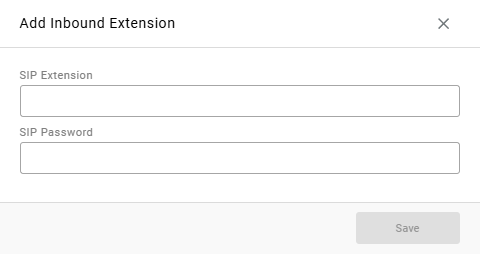
+icon in theInbound Extensionsheader - Complete the following fields in the
Add Inbound Extensionwindow:
| Field | Description |
|---|---|
SIP Extension | The extension's SIP username, as configured on the phone system |
SIP Password | The extension's SIP password |
- Select
Save
Registration typically completes within a few minutes. Select Refresh until the extension shows as Registered.
Updated about 17 hours ago