
Skills — Availability Tiers
Availability Tiers define time-based thresholds that progressively expand the pool of eligible agents within a skill group based on how long an interaction has been waiting in queue.
Each tier specifies a minimum agent skill level and the time in queue at which that tier activates. When a new interaction enters the queue, only agents at or above the first tier's minimum skill level are eligible. As the interaction waits and configured time thresholds pass, the minimum skill level drops — broadening the eligible agent pool without needing to overflow to a separate skill group.
This keeps queue position and estimated wait time accurate for the caller, simplifies reporting, and ensures the most skilled available agent is presented first within the time window the organization considers acceptable.
How It Works
When an interaction enters queue, the system evaluates the current time-in-queue against the configured tiers:
- Tier 1 activates immediately (0 minutes). Only agents with a skill level at or above the tier's minimum are eligible.
- Tier 2+ activates after the defined wait time has elapsed. Agents at or above the lower minimum skill level are now also eligible.
The interaction is presented to the best available agent among the currently active tier's eligible pool, based on the skill group's routing algorithm.
Two tier minimum requirementThe first tier is always set to 0 minutes and cannot be changed — this ensures at least one group of agents is immediately available when an interaction arrives.
Configuring Availability Tiers
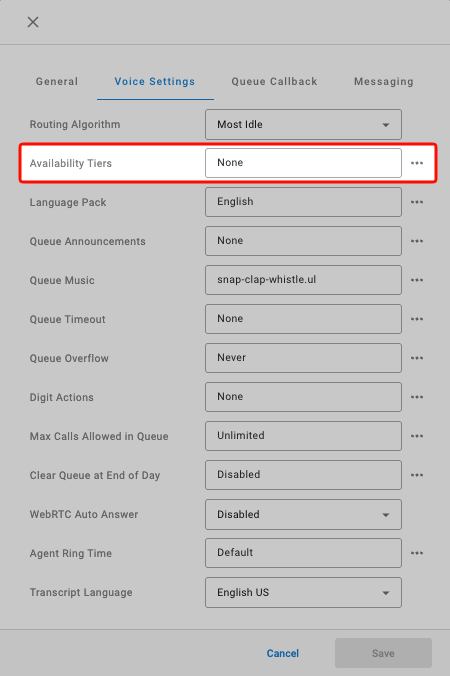
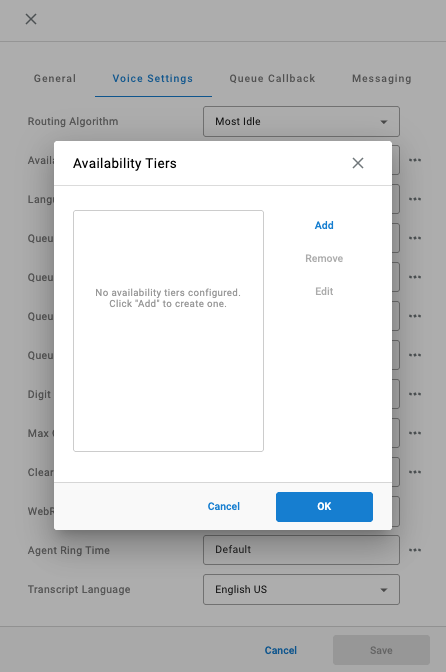
The setting can be found in Voice Settings and clicking the ellipsis for Availability Tiers.
- Click
Addto create a new tier - The
Skill Levelis the minimum skill level that becomes eligible at this tier. - The
Time in Queueis the amount of time that must elapse before this tier activates.- The first tier's
Time in Queueis always set to00:00:00.
- The first tier's
Alternative to skill group overflowAvailability Tiers are an alternative to skill group overflow. The interaction stays in the same skill group, queue position, and estimated wait time remain consistent for the caller throughout the wait.
Updated 2 months ago