
Alianza One BCC — SIP Extensions
Registers the Alianza One (BCC) SIP Trunk's credentials in CCaaS so the contact center can handle calls through the platform.
Registering a SIP extension for Alianza One uses the same SIP Trunk created for Target Platform. A SIP Username and SIP Password are created in the trunk's Authentication Credentials section in the Alianza One portal, then entered in CCaaS to establish the SIP connection.
Accessing SIP Extensions
SIP Extensions is accessible to accounts with Admin permissions.
- Navigate to
Admin (System) > SIP Extensions - All registered SIP extensions are listed on this page
Target Platform Must Be Configured FirstTarget Platform must be configured before registering an extension.
Creating SIP Credentials in Alianza One
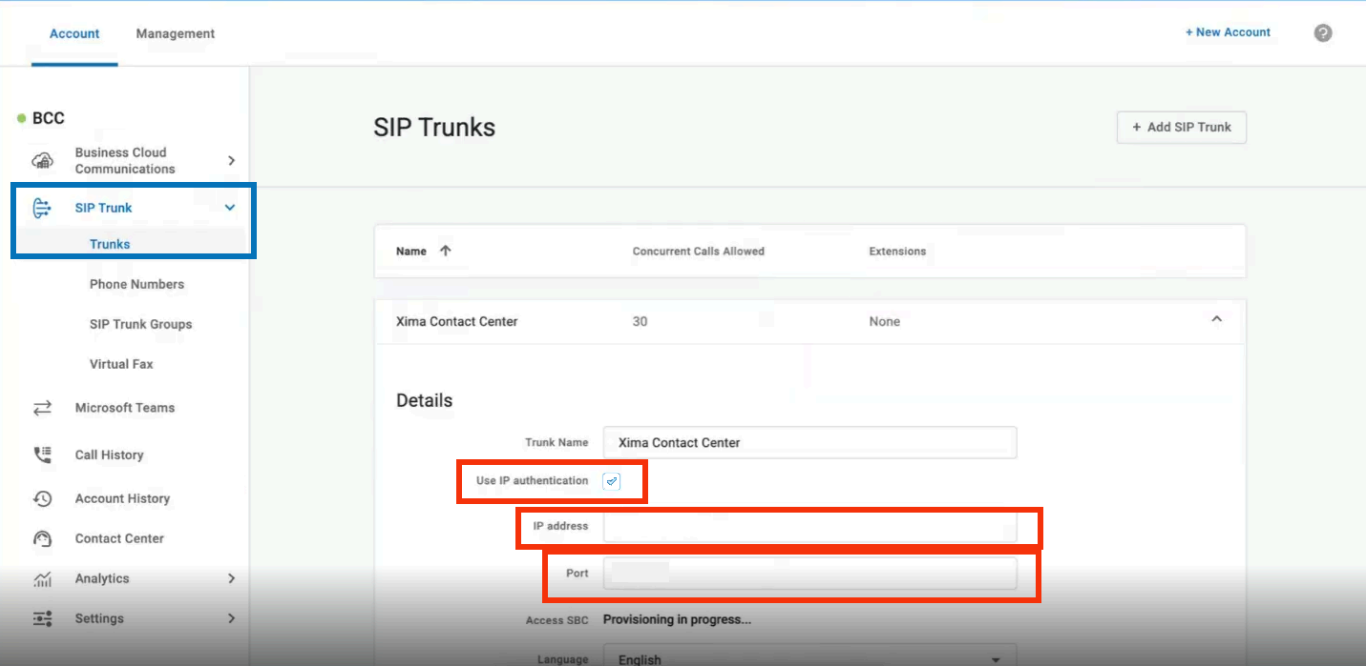
Do Not Use IP AuthenticationLeave
Use IP Authenticationunselected, and leave theIP AddressandPortfields blank. The trunk authenticates with the SIP Username and SIP Password below instead.
-
In the Alianza One portal, select the SIP Trunk created for Target Platform on the SIP Trunks page to expand its details
-
Under
Authentication Credentials, enter aSIP Username— Xima prefers numeric characters only -
Select
View/Edit Password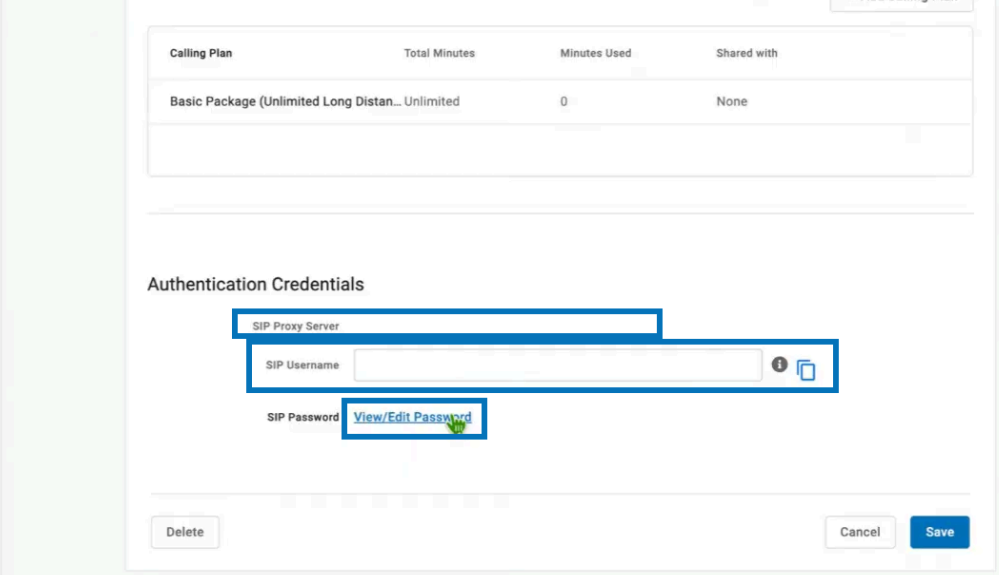
-
Enter a
SIP Password— Xima prefers at least 12 alphanumeric characters -
Select
Save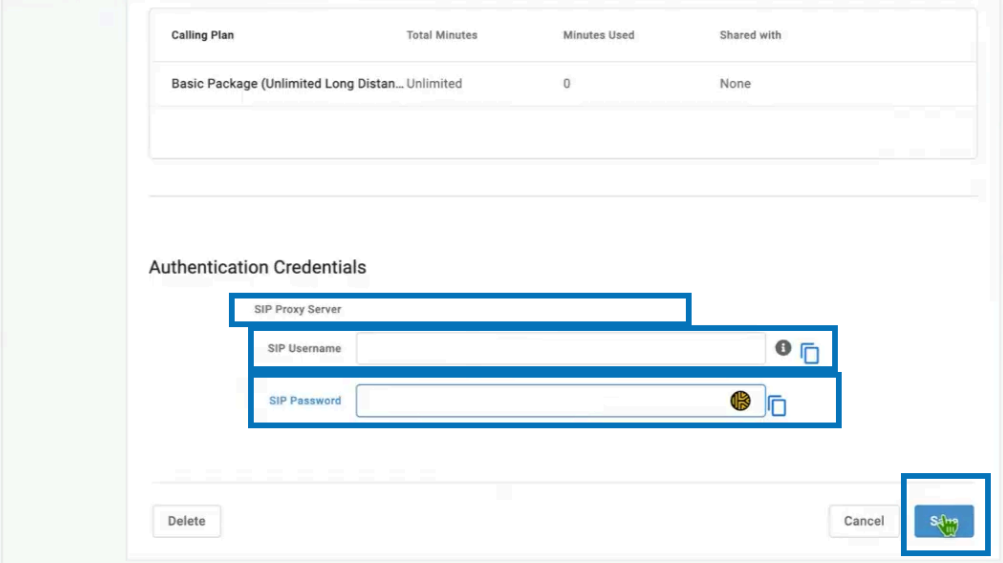
Registering the Extension in CCaaS
- Navigate to
Admin (System) > SIP Extensions - Select
+ - Enter the following fields using the credentials created in Alianza One:
| Field | Description |
|---|---|
| SIP Extension | The SIP Username created on the Alianza One trunk |
| SIP Username | The same SIP Username created on the Alianza One trunk |
| SIP Password | The SIP Password created on the Alianza One trunk |
- Save the extension
- Initialization, registration, and authentication typically complete within 30–60 seconds
Updated 21 days ago