
Call Hub and Proprietary Features
Available with 5_62+
Confirming You Are Using CallHub Mode
-
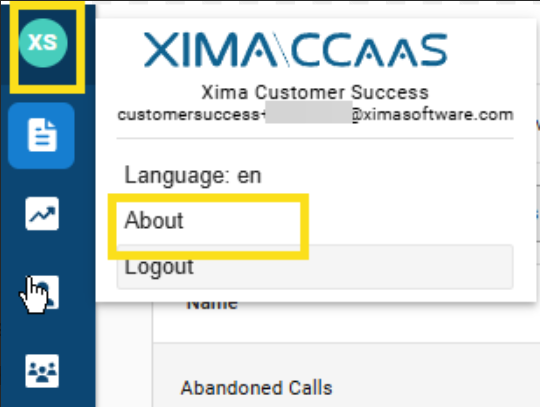
In the top-left corner of the CCAC interface, click your name/avatar icon to open the user menu
-
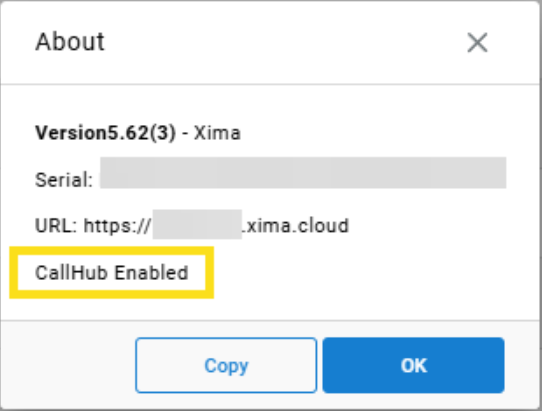
Select About from the menu. A dialogue box will appear showing your version information
-
Confirm that the CallHub Enabled badge is displayed in the About dialogue. If you see this badge, this article applies to you.
-
Click OK to close the dialogue and proceed.
Updated 4 months ago