
RC/ACO — Target Platform
Authenticates CCaaS to an RC/ACO account so SIP extensions can be registered and calls routed through the platform.
The Target Platform integration authenticates CCaaS to an RC/ACO account via OAuth. This authentication is completed once per CCaaS tenant and must be in place before any SIP extensions can be registered — see SIP Extensions.
Accessing Target Platform
Target Platform is accessible to accounts with Admin permissions.
- Navigate to
Admin (System) > Target Platform Configuration - If not yet connected, the status displays
NOT_AUTHENTICATED
Authenticating with RC/ACO
-
Click
Authenticate— this redirects to the RC/ACO login page -
Log in using an account with Super Admin permissions
-
Review the requested API permissions and click
Authorize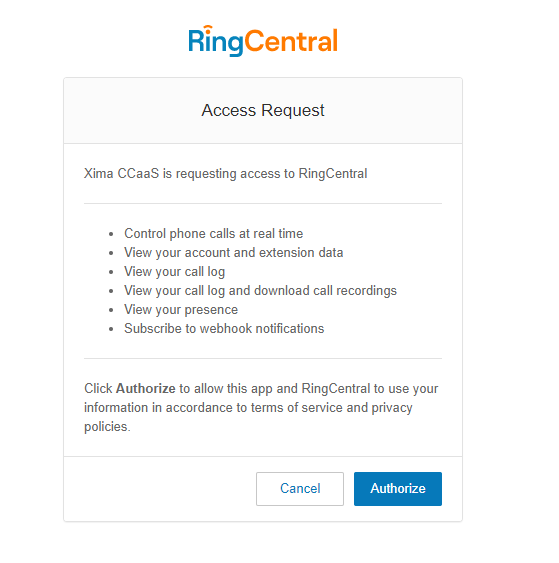
-
CCaaS returns to the Target Platform Configuration screen, now displaying
AUTHENTICATED
Confirm the Outbound ProxyThe region associated with the authenticated RC/ACO account (e.g., North America, Europe) must match the Outbound Proxy listed for each SIP extension in the RC/ACO admin interface. A mismatch between the Target Platform region and an extension's Outbound Proxy will cause registration failures — see SIP Extensions.
Updated about 1 month ago