
Messaging Flow — Conditions
Conditions check the channel, a parameter, or the schedule and run their sub-actions only when the check passes.
Conditions let a messaging flow take a different path depending on the conversation. Each condition holds its own sub-actions, which run only when the condition is met; otherwise they are skipped and the flow continues with the next step after the condition. Each condition has a Condition Name, which identifies the step in the flow and in Cradle to Grave. Conditions can be added to Conditions and Actions only, not to Fallback.
| Condition | Description |
|---|---|
| Channel | Checks which messaging channel the conversation is on |
| Parameter | Compares a standard or session parameter to a value |
| Time of Day | Checks a Time of Day profile |
| Holiday | Checks a Holiday profile |
Channel
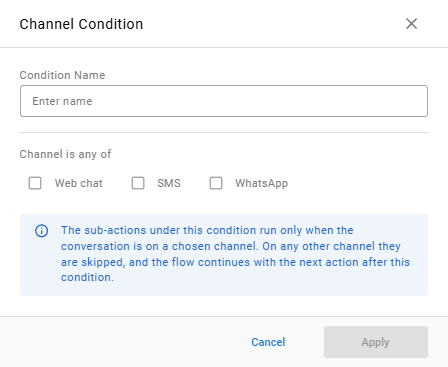
Runs its sub-actions only when the conversation is on one of the chosen channels.
| Field | Description |
|---|---|
Condition Name | Identifies the step |
Channel is any of | The channels the sub-actions run on: Web chat, SMS, and WhatsApp |
On any other channel, the sub-actions are skipped and the flow continues with the next action after this condition.
Parameter
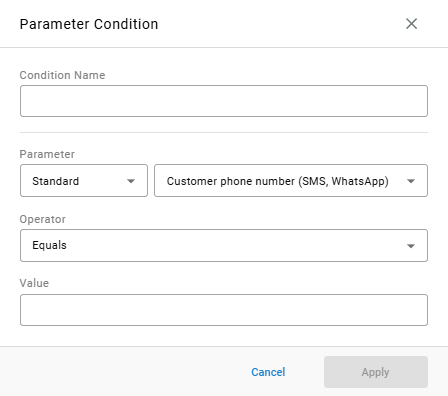
Runs its sub-actions only when a parameter matches a value.
| Field | Description |
|---|---|
Condition Name | Identifies the step |
Parameter | The kind of parameter — for example, Standard — and the parameter itself, such as Customer phone number (SMS, WhatsApp) |
Operator | How the parameter is compared to the value — for example, Equals |
Value | The value to compare against |
See Parameters for how session parameters are set and used.
Time of Day
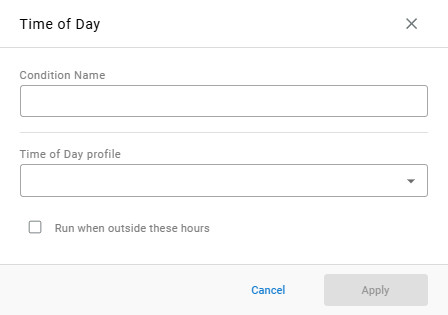
Runs its sub-actions based on an existing Time of Day profile.
| Field | Description |
|---|---|
Condition Name | Identifies the step |
Time of Day profile | The profile whose hours are checked |
Run when outside these hours | Reverses the check, so the sub-actions run outside the profile's hours instead |
Holiday
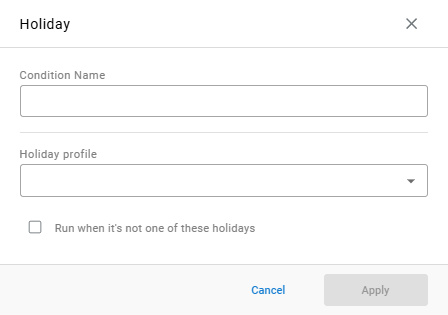
Runs its sub-actions based on an existing Holiday profile.
| Field | Description |
|---|---|
Condition Name | Identifies the step |
Holiday profile | The profile whose holidays are checked |
Run when it's not one of these holidays | Reverses the check, so the sub-actions run on days that are not one of the profile's holidays |
Updated about 7 hours ago