
MS — Target Platform
Connects CCaaS to a Metaswitch platform by creating a virtual handset subscriber and entering its SIP and CommPortal API details.
Target Platform configuration connects CCaaS to a Metaswitch deployment using SIP connection details and CommPortal API credentials taken from a virtual handset subscriber created in the MetaView Web Portal, typically by a Metaswitch reseller. This must be completed before any SIP extensions can be registered — see SIP Extensions.
Creating the Virtual Handset Subscriber
The virtual handset subscriber is created in the MetaView Web Portal, typically only accessible to a Metaswitch reseller.
-
Navigate to the MetaView Web Portal and select
Business Group > Lines > Add Line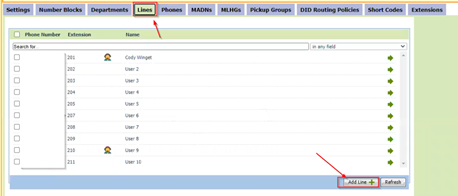
-
Assign a license type that allows a SIP connection — the specific type otherwise makes no difference
-
Add a phone number and subscriber name (for example,
Xima Virtual Handset) -
Add the extension under the
Extensionstab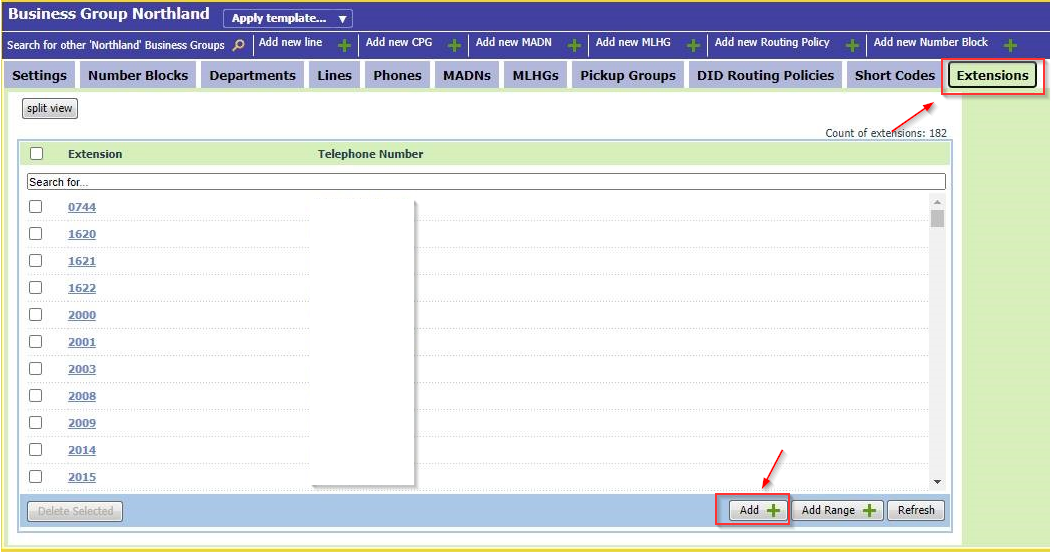
Setting Maximum Call Appearances
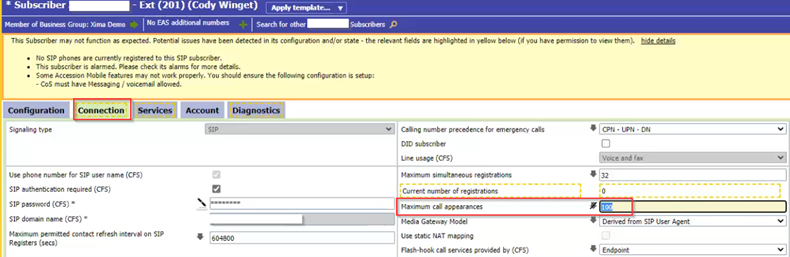
- Open the new subscriber and select the
Connectiontab - Set
Maximum Call Appearancesto a value the deployment will not exceed - Note this value — it is entered as
Total Channels Per Extensionin CCaaS
Retrieving API Credentials
-
Select the subscriber's
Configurationtab, then open theAdvancedmenu -
Confirm
User notification of call diversionis selected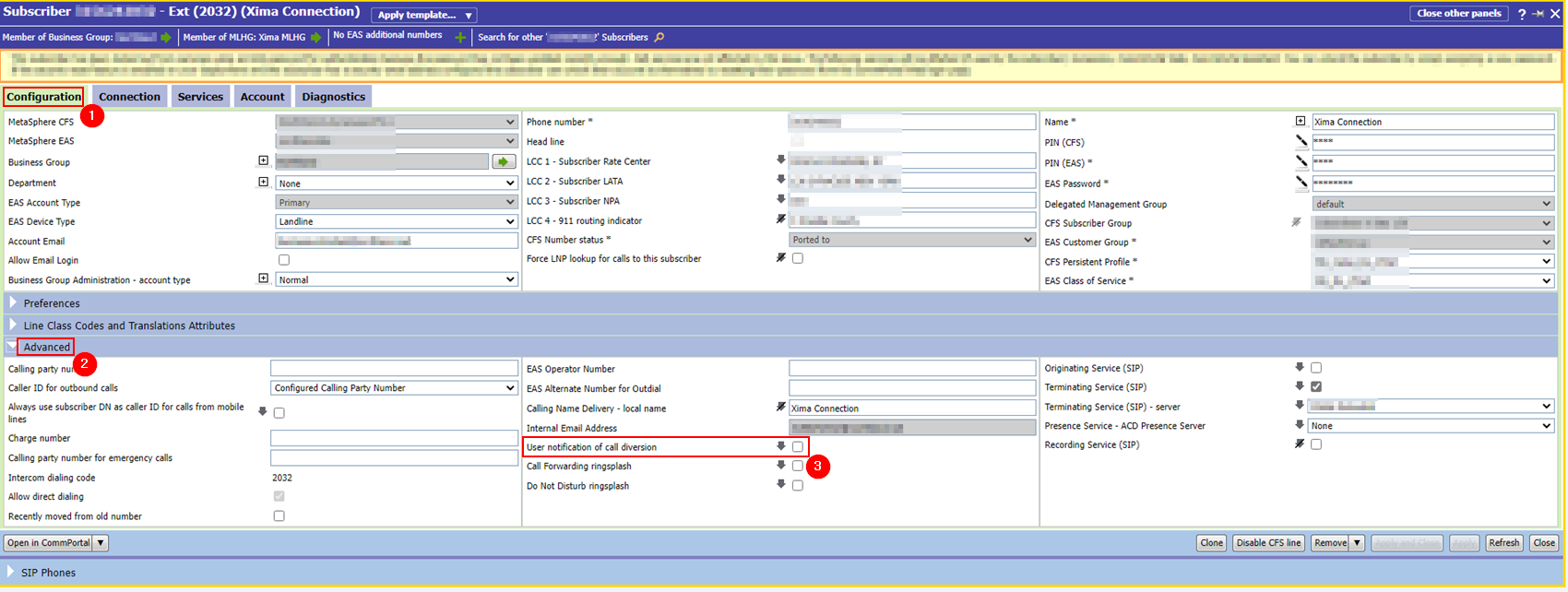
-
Note the
Phone number— this is entered as theAPI Usernamein CCaaS -
Note the
EAS Password— this is entered as theAPI Passwordin CCaaS
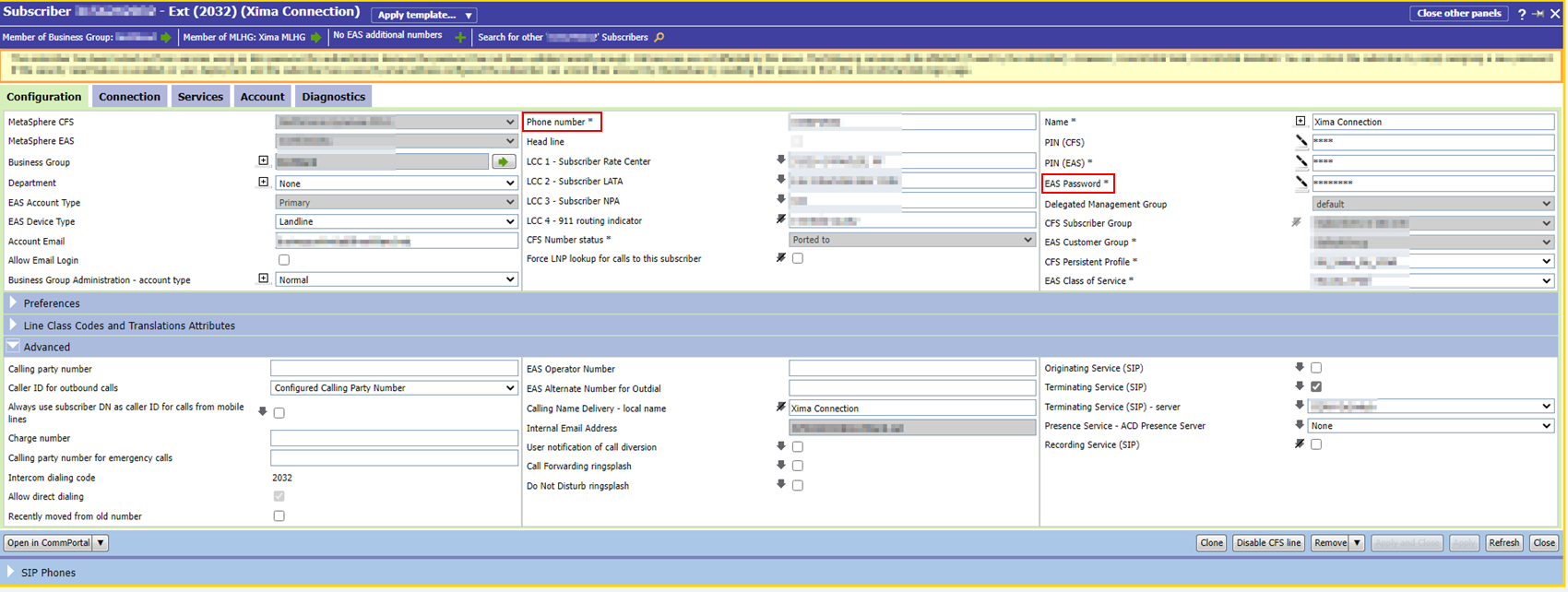
EAS Password vs. SIP PasswordThe EAS Password is not the same as the SIP Password used later to register the extension in CCaaS — see SIP Extensions.
Accessing Target Platform
Target Platform is accessible to accounts with Admin permissions.
- Navigate to
Admin (System) > Target Platform Configuration - The Metaswitch Platform Settings window is displayed
Configuring SIP Information
- Complete the following fields:
| Field | Description |
|---|---|
| SIP Server Host | The SBC address phones connect to |
| SRV Record | |
| SIP Proxy Server Host | Typically the same address as SIP Server Host |
| SIP Proxy Server Port | Commonly 5060, though this varies by deployment |
Configuring API Information
- Complete the following fields:
| Field | Description |
|---|---|
| API URL | The CommPortal login URL, unique to the reseller's EAS server |
| API Version | The Metaswitch version, found in the PuTTY login or the Community Network Dashboard |
| API Username | The subscriber's phone number, noted above |
| API Password | The subscriber's EAS Password, noted above |
- Select
Save
Updated about 2 months ago