
Call Routing from Metaswitch
Routes Metaswitch calls into a skill by tagging an MLHG Pilot Number and matching it with a Call Routing Rule.
A Metaswitch call reaches a CCaaS skill by creating a Multi-Line Hunt Group (MLHG) with a Pilot Number that identifies the destination skill, then matching that Pilot Number with a Call Routing Rule in CCaaS.
Creating the MLHG in Metaswitch
The MLHG is created and configured within the MetaView Web Portal, typically only accessible to a Metaswitch reseller.
-
Navigate to the MetaView Web Portal and search for the Business Group being configured
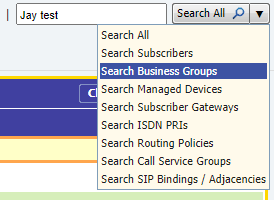
-
Select
Add MLHG +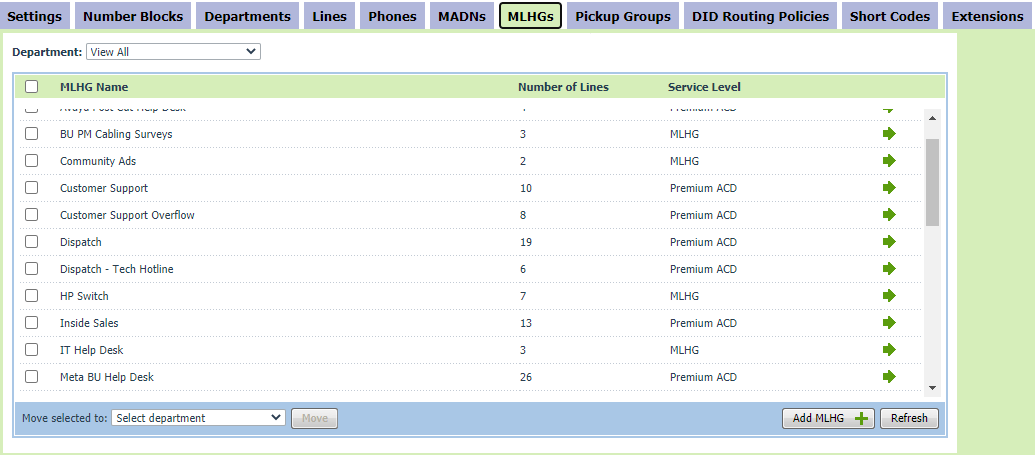
-
Apply any applicable templates
-
Enter a
NameandIdentifying Number, and confirmDelivery of pilot information as Caller IDis not selected -
If the MLHG should only offer one call at a time, select
Offer calls to SIP lines in calls with spare MCAs
-
Add the virtual handset subscriber registered to CCaaS as a member, and log that subscriber in
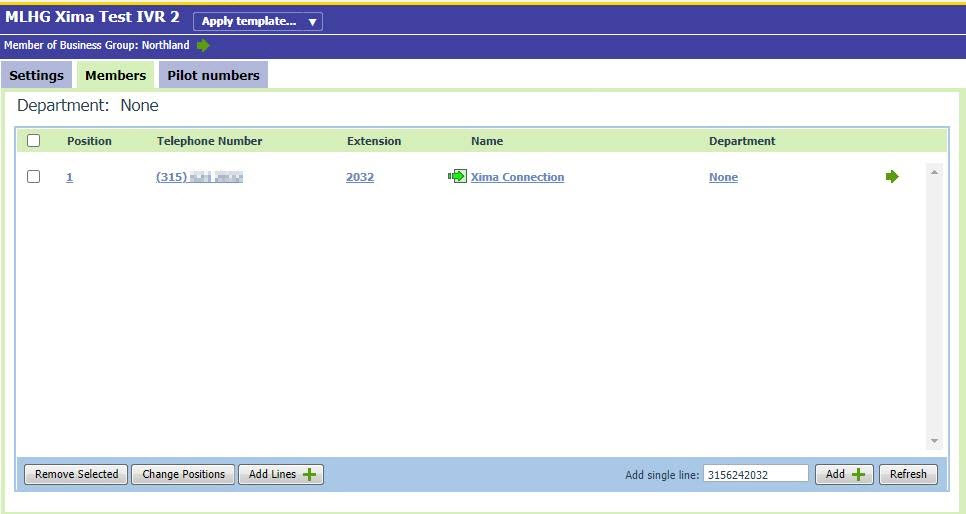
-
Enter a
Pilot Number— this is the number that reaches the MLHG, and its name is the value used to route the call to the destination skill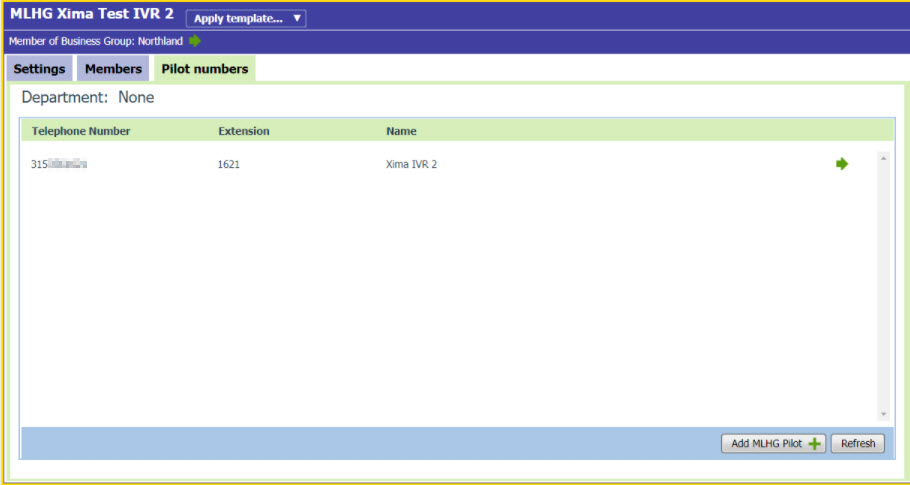
-
Under
Preferences, confirmPresent pilot name to agentsis selected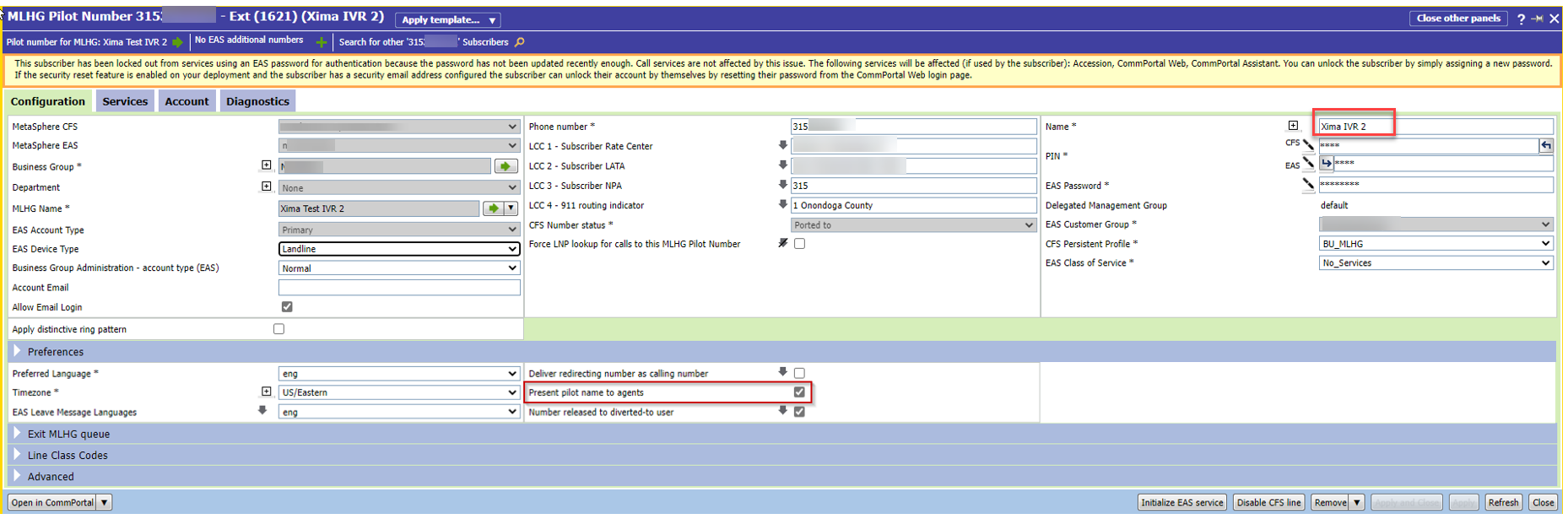
Required for RoutingIf
Present pilot name to agentsis not selected, the pilot name is not sent through to CCaaS and calls will not route to the intended skill.
Configuring the Matching Routing Rule in CCaaS
- Navigate to
Routing Configuration > Call Routing - Select
+to add a new rule - Complete the following fields:
| Field | Description |
|---|---|
| Routing Rule Name | A descriptive name for the rule |
| SIP Header | Typically Referred-By for Metaswitch |
| Matching | Contains is recommended, to best match the platform's naming |
| Value | The Pilot Name entered on the MLHG |
| Destination | The skill the call should route to |
- Select
Done, thenMake Liveto activate the rule
Configure a Default SkillA call that matches no routing rule disconnects immediately. A default routing rule or skill group should be configured to catch calls that don't match a specific Pilot Name.
High-Volume MLHG Routing
MLHG Soft LimitA single extension has a soft limit of 20 MLHGs. A deployment requiring more than 20 MLHGs on the CCaaS extension needs additional extensions — see SIP Extensions.
Updated 3 months ago