
Call Routing
The legacy Call Routing menu matches SIP Header information on an incoming call to route it directly to an agent, skill, or dialable number, independent of an IVR.
Call Routing evaluates SIP Header information on an incoming call — such as the number dialed or the phone system that sent it — against a list of rules, and sends the call directly to an agent, skill, or dialable number when a rule matches, without passing through an IVR call flow. It predates the IVR's Parameter condition, and accounts configured before Parameter conditions were available may still have rules defined here.
Current Status of This MenuFor routing calls by the number dialed, it is best practice to move rules into a Parameter condition in the Primary IVR — see Call Routing Methods for the migration steps. This menu remains the current, supported method for matching a Skill Routing Identifier supplied by an external UC platform — see Call Routing in CCaaS — and is not being deprecated for that use case.
Accessing Call Routing
Call Routing is accessible to accounts with Supervisor or Admin permissions.
- Navigate to
Routing Configuration > Call Routing - All configured routing rules are listed in the modal
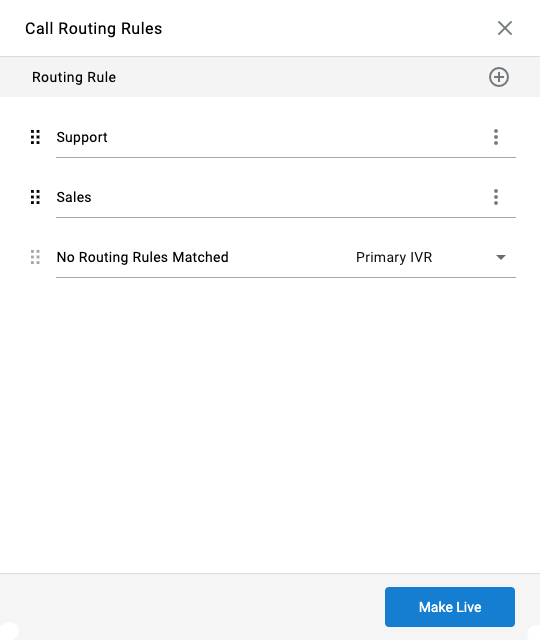
Managing Call Routing Rules
Adding a Rule
Each rule matches a SIP Header field against a value and sends matching calls to a destination.
Located at the top-right of the popup, click the + icon to add a new call routing rule.
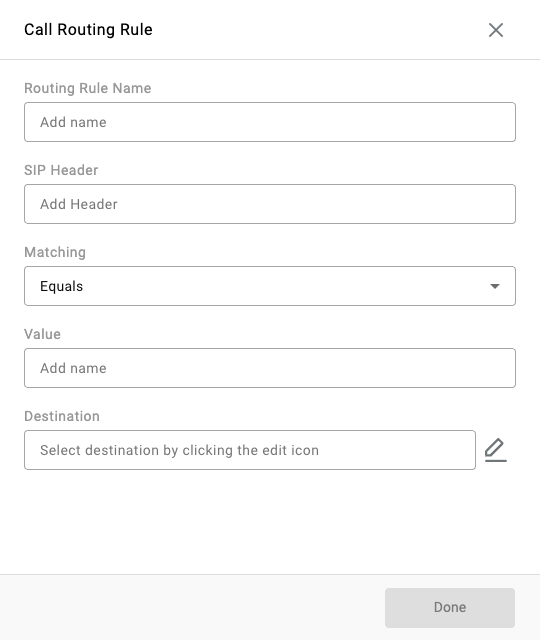
| Field | Description |
|---|---|
| Routing Rule Name | A descriptive label for the rule. |
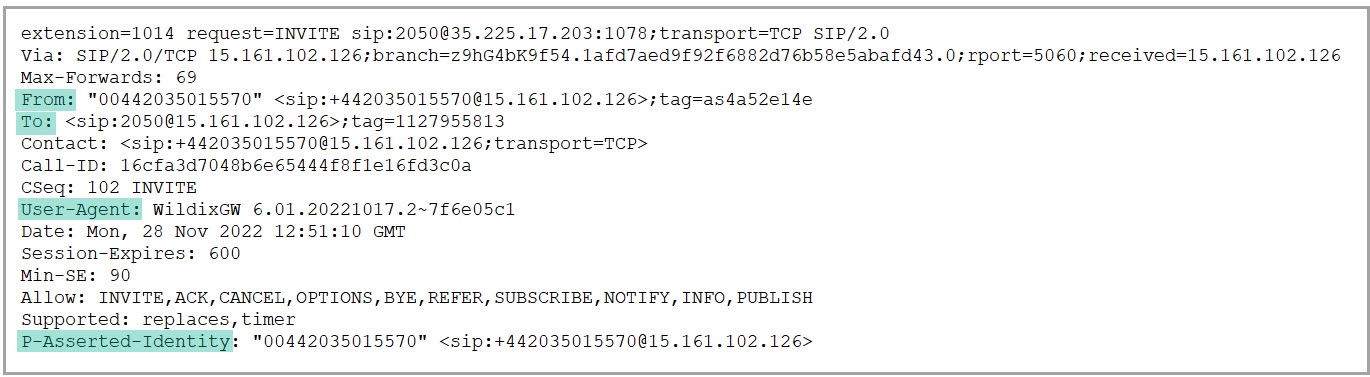
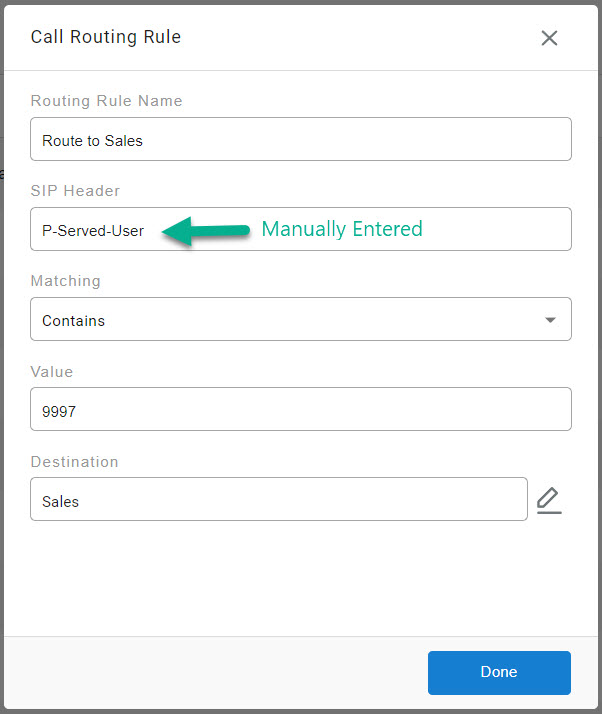
| SIP Header | The header field to match against — commonly To, From, User-Agent, or P-Asserted-Identity, or a custom header entered as free-form text. |
| Matching | The comparison applied to the header value: Equals, Contains, Starts With, or Ends With. |
| Value | The text compared against the selected SIP Header. |
| Destination | Where the call routes when matched: Agent, Skill, or Dialable Number. |
Select Make Live once all routing rules are configured.
Best Practice
Containsis the recommended Matching option in most cases, since it tolerates minor formatting differences in how a phone system populates a SIP Header field.
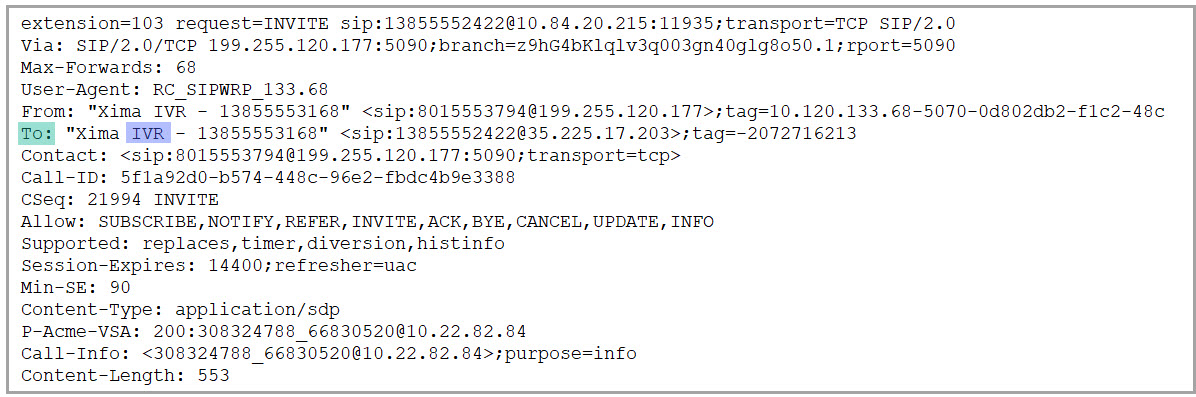
ExampleA rule using SIP Header
To, MatchingContains, ValueIVRroutes any call with "IVR" anywhere in theToheader to the configured destination.
No Routing Rules Match
Call Routing Rules matched-based that sends matching calls to a destination. If there is a no match, it will fallback to the No Routing Rules Matched rule.
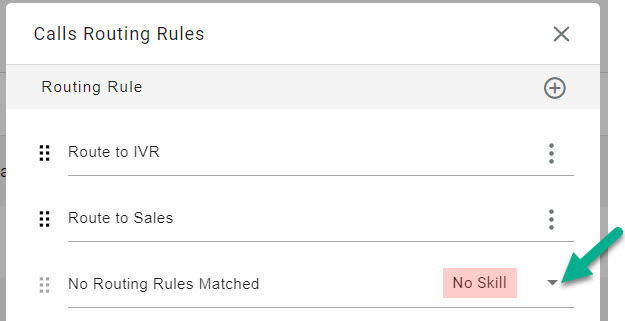
Default Skill RequiredNo default skill is set out of the box. A call that matches no routing rule is disconnected immediately unless a default skill is configured.
Using a Custom SIP Header
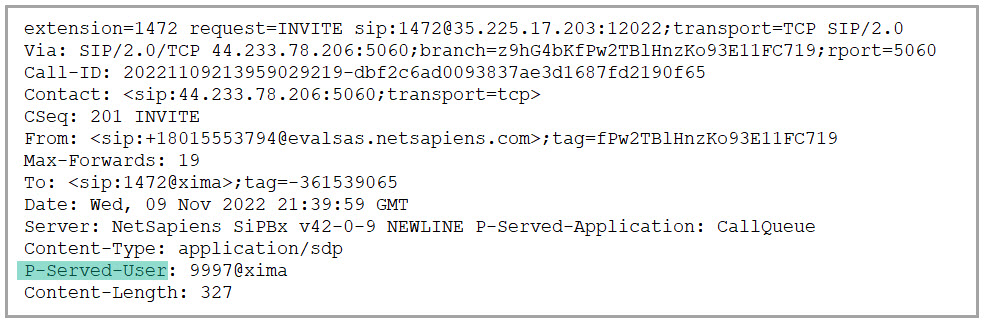
Not every phone system supplies the default SIP Header fields, and some supply additional custom headers instead. The SIP Header field accepts free-form text, so a rule can be built against any header a phone system provides, not only the defaults.
Updated 3 months ago