
Real-Time Triggers
Realtime Triggers send an email or CCAC desktop alert when a realtime metric crosses a threshold, checked about every 5 seconds on a configurable schedule.
Realtime Triggers watch a realtime metric and alert the right people the moment it crosses a threshold — for example, more than one call waiting in queue. Each trigger is checked about every 5 seconds during its active days and times, and can repeat its alert while the threshold stays crossed. See Alerts and Triggers for how alerts are delivered.
Accessing Realtime Triggers
Realtime Triggers are accessible to accounts with Admin permissions.
- Navigate to
Admin (System) > Alerts and Triggers - All realtime triggers are listed on the
Realtime Triggerstab with theirName,Metric,Threshold, andSchedule
The pencil icon on a row edits that trigger and the trash icon deletes it. Times use the server time zone shown on the tab — for example, America/Denver.
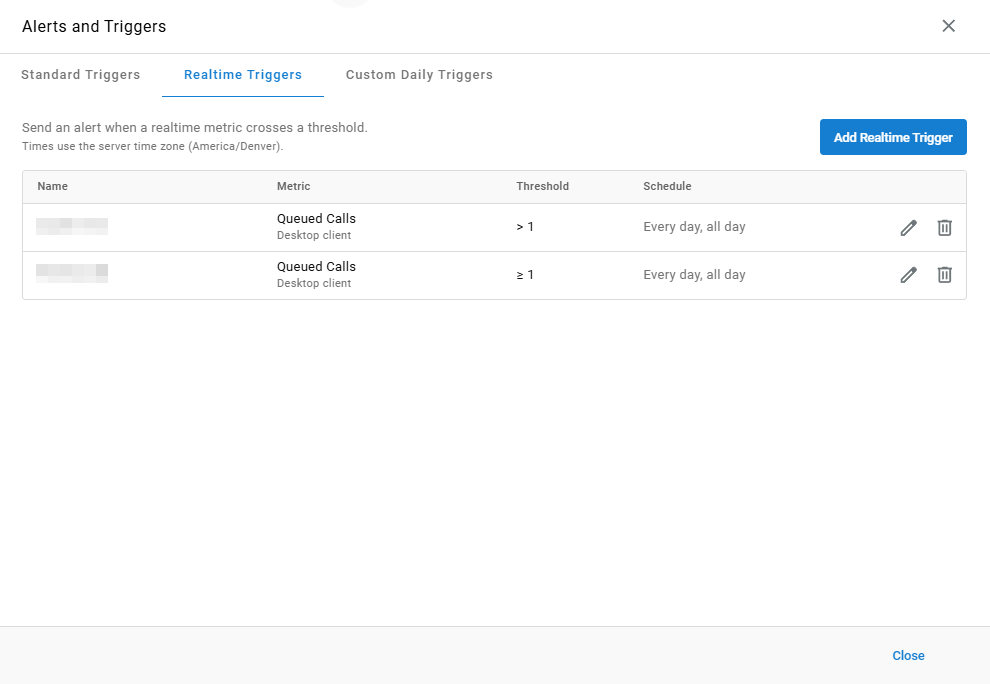
Triggers Created in Desktop ClientRealtime Triggers created in the Desktop Client keep running unchanged and are labeled
Desktop clientunder their metric. Their metric can be replaced with one from the current metric picker; their name, threshold, recipients, and schedule can be edited as usual.
Creating a Realtime Trigger
- Select the
Realtime Triggerstab - Select
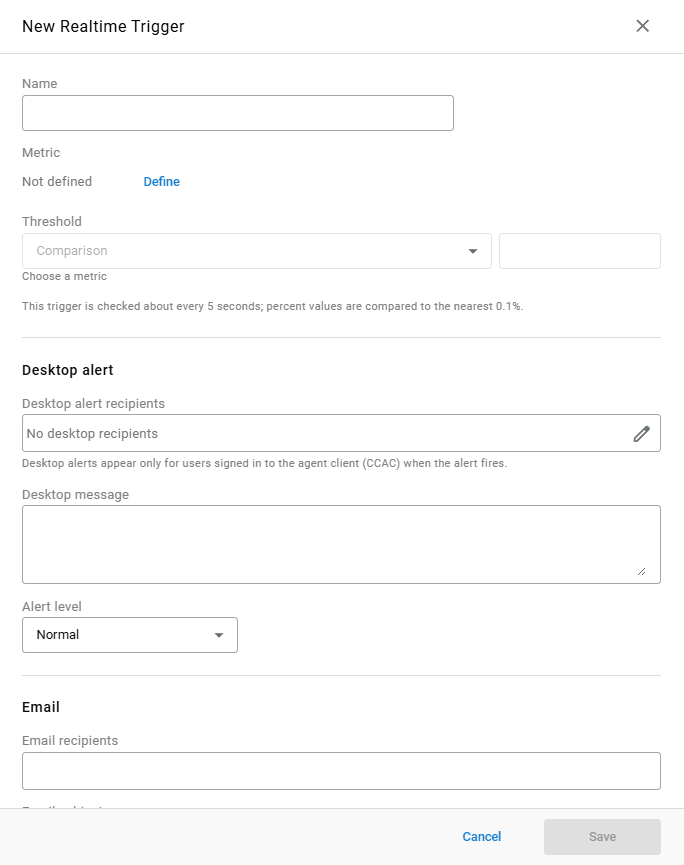
Add Realtime Trigger - Complete the following fields in the
New Realtime Triggerwindow:
| Field | Description |
|---|---|
Name | Identifies the trigger in the list. Must be unique |
Metric | The realtime metric the trigger watches. Select Define to choose it |
Threshold | A Comparison and the value the metric must cross before the alert fires. Percent values are compared to the nearest 0.1% |
- Complete the
Desktop alertfields, theEmailfields, or both — see Notification Fields - Set the trigger's Schedule
- Select
Save
Notification Fields
Desktop Alert
| Field | Description |
|---|---|
Desktop alert recipients | The users who receive a desktop alert in CCAC. Select the pencil icon to choose recipients |
Desktop message | The text shown in the desktop alert |
Alert level | The desktop alert's severity: Normal, Warning, or Emergency — see Alert Level. Defaults to Normal |
Email
| Field | Description |
|---|---|
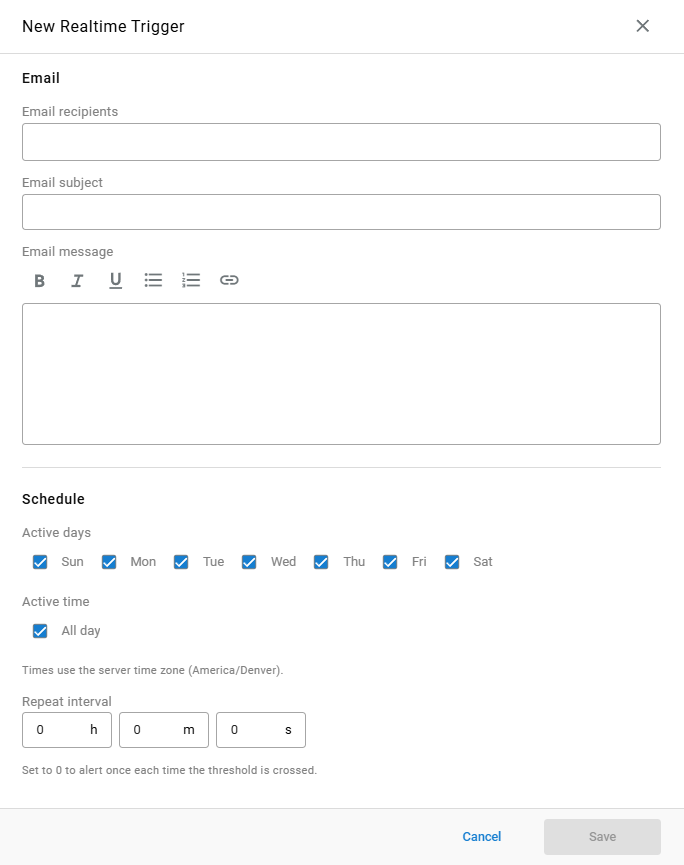
Email recipients | The addresses notified by email. Recipients do not need to be agents |
Email subject | The subject line of the alert email |
Email message | The body of the alert email, with bold, italic, underline, bulleted and numbered lists, and links |
Desktop Alerts Require CCACDesktop alerts appear only for users signed in to the agent client (CCAC) when the alert fires.
Schedule
| Field | Description |
|---|---|
Active days | The days of the week the trigger is checked. Every day is selected by default |
Active time | The time of day the trigger is checked. All day is selected by default; clearing it sets a time range in the server time zone |
Repeat interval | How often the alert repeats, in hours, minutes, and seconds, while the threshold is still crossed. Set to 0 to alert once each time the threshold is crossed |
Updated about 8 hours ago