
Manage Phonebook
Manage Phonebook is a global contact directory that agents can reference when placing outbound calls, transferring calls, or starting a new outbound SMS.
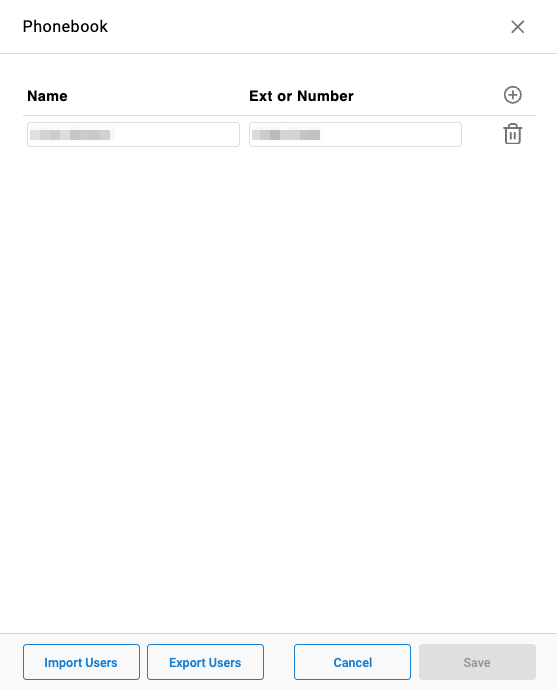
The Phonebook provides a centralized list of external numbers and internal extensions that agents can search and dial from within CC-Agent Client. All agents have access to the same phonebook — entries are not scoped to individuals or teams. Contacts can be added manually or imported in bulk via CSV.
Accessing Manage Phonebook
Manage Phonebook is accessible to accounts with Supervisor or Admin permissions.
- Navigate to
User Management > Manage Phonebook - All configured phonebook entries are listed with their name and extension or number
Adding an Entry
- Click the
+icon in the top-right corner of the phonebook - Enter the contact's
NameandExt or Number - Click
Save
Importing Contacts
Contacts can be imported in bulk from a CSV file.
- Click
Import Users - Select the CSV file to upload
- Click
Save
CSV FormatThe CSV file should contain two columns:
NameandExt or Number. Each row represents one phonebook entry.
Exporting Contacts
The current phonebook can be exported as a CSV file — useful for backup or bulk editing.
- Click
Export Users - The file downloads automatically
Removing an Entry
Click the trash icon to the right of any entry to remove it, then click Save to confirm.
Updated 2 months ago