
Email Account
Email Account connects CCaaS to monitored email addresses through OAuth authentication with Microsoft Outlook or Google Gmail, routing inbound email to agent skill queues.
CCaaS does not function as an email service provider — it authenticates with an existing email service to monitor specific addresses and route inbound emails to the contact center for agent handling. Once authenticated, emails received at monitored addresses are distributed to skill queues and handled through the agent interface.
Multiple email addresses can be added. Each address can have independent routing rules configured to target different skills — a unique email address per skill is not required but is supported.
Supported Email ServicesMicrosoft Outlook and Google Gmail are currently supported for email account authentication. See Microsoft Outlook and Google Gmail for provider-specific notes.
IMAP Must Be EnabledThe email account must have IMAP enabled to support inbox sharing with CCaaS.
See Microsoft IMAP settings for Outlook configuration, or Google IMAP settings for Gmail configuration.
Accessing Email Account
Email Account is accessible to accounts with Supervisor or Admin permissions.
- Navigate to
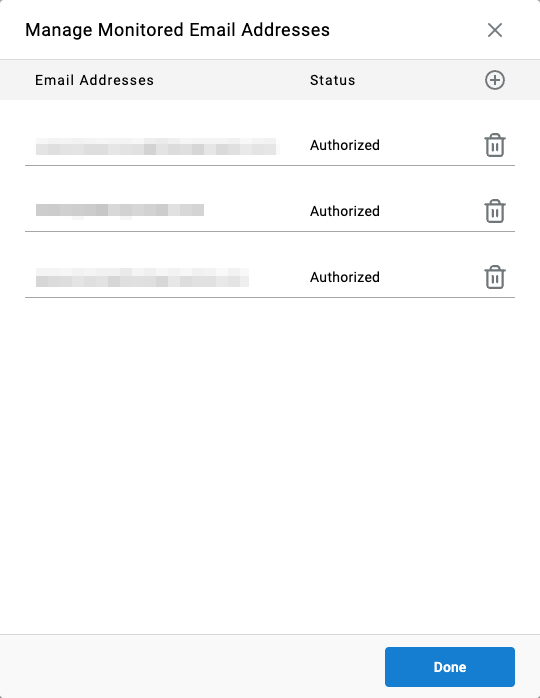
Admin (System) > Email Account - Monitored email accounts can be viewed and managed from this page
Adding an Email Account
-
Select
+in the top-right corner to add a new monitored address -
Select the email account type —
Microsoft OutlookorGoogle Gmail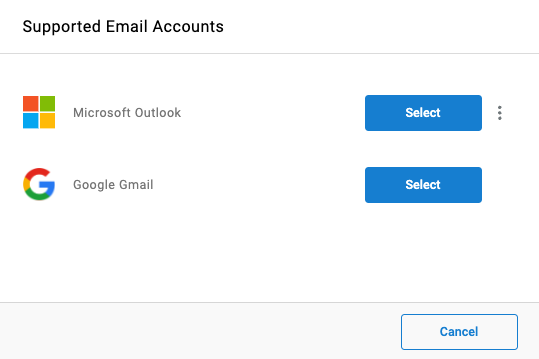
-
An authentication modal from the selected provider will appear — enter the email address and password for the account to be monitored
-
Accept all requested access levels when prompted. Only permissions required for email channel functionality are requested
-
Once authorized, the email address appears in the monitored address list
Provider-Specific Notes
Each supported provider has its own IMAP configuration path, and Microsoft Outlook has an additional consent workflow some environments require.
Covers the Secondary Approval flow some Microsoft environments require before a monitored address can finish authenticating.
Covers IMAP setup for Gmail accounts and confirms no equivalent administrator-consent step currently applies.
Updated 3 months ago