
RC/ACO — Best Practices
Recommended RC/ACO-side settings for virtual handsets and agent devices so Contact Center calls roll over to CCaaS cleanly.
Virtual handsets and agent devices each need a slightly different set of RC/ACO-side settings for Contact Center calls to behave correctly.
Virtual Handset Configuration
The virtual handset itself needs a few adjustments in RingCentral so Contact Center calls roll over to CCaaS cleanly:
-
Disable the voicemail box on each virtual handset:
Users > [User Name] > Messages, disableTake Messages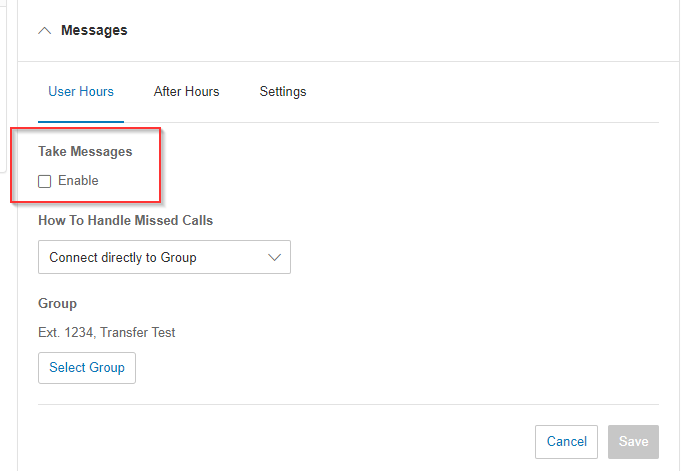
-
Disable
My Desktop & MobileunderCall Handling & Forwardingfor each virtual handset, so calls route directly to CCaaS rather than ringing other devices first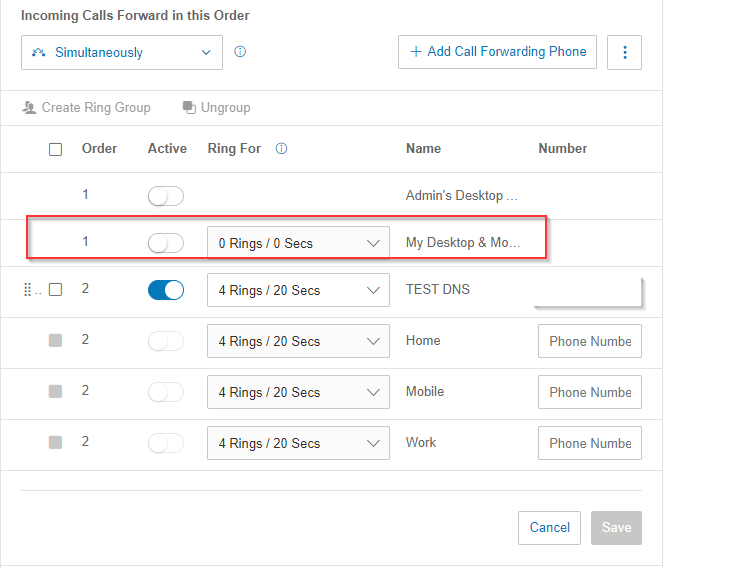
-
The ring time configured in RingCentral's
Call Handling & Forwardingmust be greater than the ring time configured in CCaaS (Admin (System) > System Settings > Voice Agent, or per-skill underContact Center > Manage Skills > Agent Ring Time) — otherwise the call hands off to voicemail or a "no one is available" message before CCaaS can manage it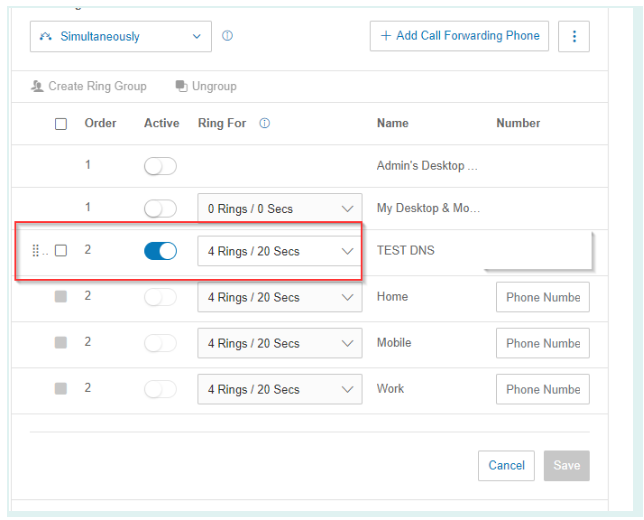
-
Disable all
Screening, Greeting & Hold Musicoptions for the virtual handset so Contact Center calls roll over to CCaaS properly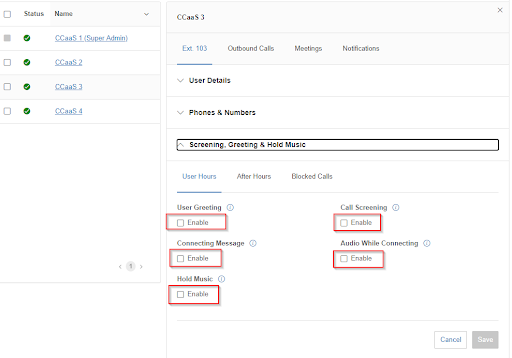
Agent Device Configuration
Agent-side devices need a slightly different configuration than the virtual handset:
- Under
Users > [User Name] > Call Handling, setIncoming CallstoRing all at once - Set
My Desktop & Mobile AppstoAlways Ringif a RingCentral softphone or mobile app should ring alongside the desk phone; otherwise disable it - Agents taking both direct calls and Contact Center calls can leave
Screening, Greeting & Hold Musicat its default settings
Updated about 2 months ago