
Using the Auto-Attendant
Transfers calls from an RC/ACO Auto Attendant IVR menu directly to a CCaaS-registered extension via a key press.
An RC/ACO Auto Attendant IVR menu can transfer a caller directly to a CCaaS-registered extension by assigning a key press to that extension.
License RequirementMulti-Level Auto Attendants require a RingCentral Standard license package or higher. Handset registration to CCaaS works on any license tier from Essential to Ultimate.
Configuring the IVR Menu
The key press transfer is configured entirely within the RC/ACO Auto-Receptionist
-
Navigate to
Phone System > Auto-Receptionist > IVR Menus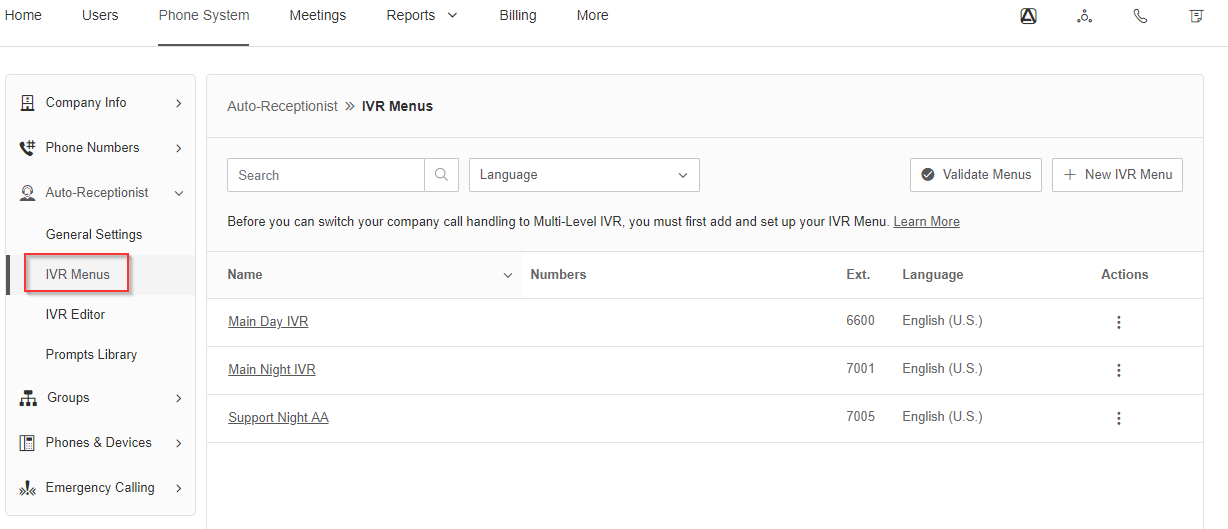
-
Select
New IVR Menu, assign an extension and name, and selectSave -
Optionally assign a DID to the menu for direct dialing
-
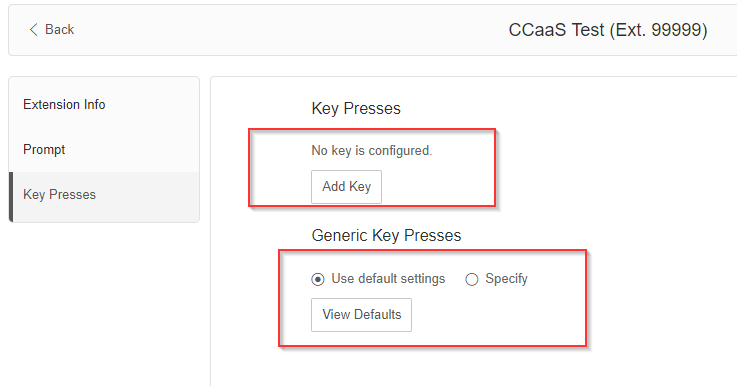
Configure prompts (text-to-speech or a pre-recorded message) and key press actions
-
Assign a key press (0–9) with
Connect toset to the CCaaS-registered extension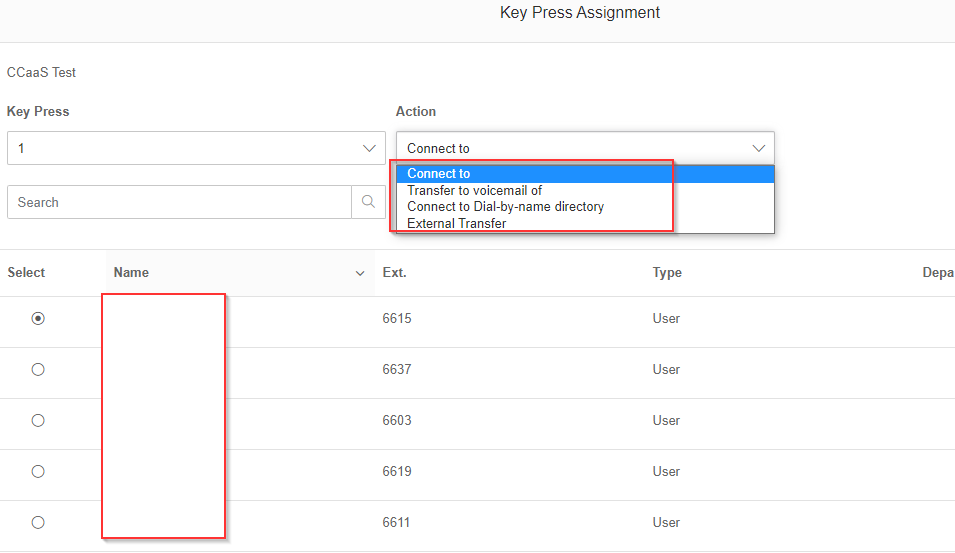
Updated 3 months ago