
Windows Notification Settings
The Windows and Chrome settings that complete Inbound Desktop Notification setup in CCAC, and how to enable notifications for the standalone Xima Contact Center application.
Turning on Inbound Desktop Notifications in CCAC also requires a matching notification setting within Windows itself. The exact setting depends on whether CCAC is loaded in Chrome or through the standalone Xima Contact Center application, and is separate from the Allow prompt granted in the browser.
Chrome
- Navigate to
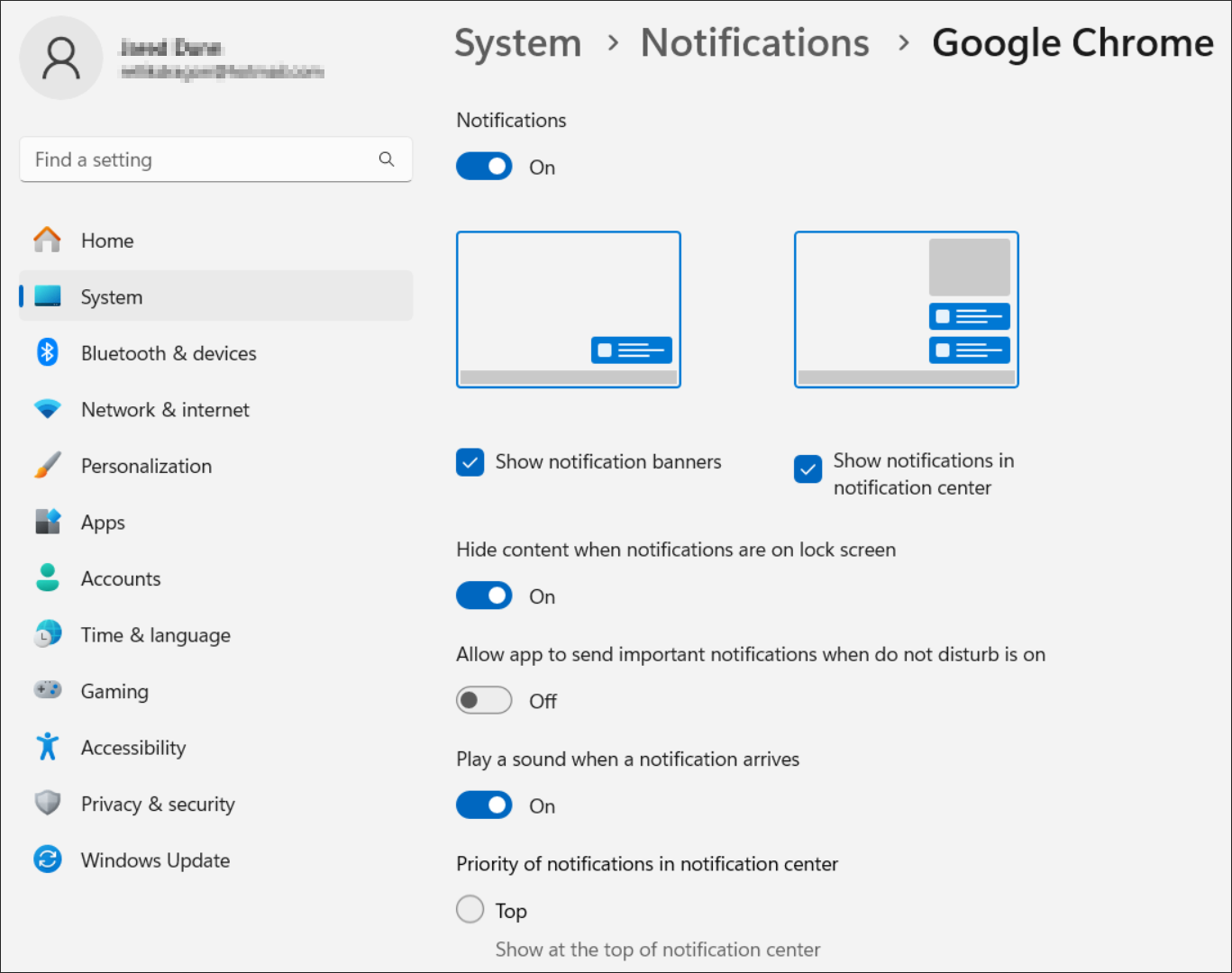
System > Notifications > Google Chrome(or the browser CCAC is loaded in) within Windows - Confirm the following settings:
| Setting | Value |
|---|---|
| Notifications | On |
| Show notification banners | Selected |
| Show notifications in notification center | Selected |
| Play a sound when a notification arrives | On |
| Priority of notifications in notification center | Normal |
Xima Contact Center Application (Electron App)
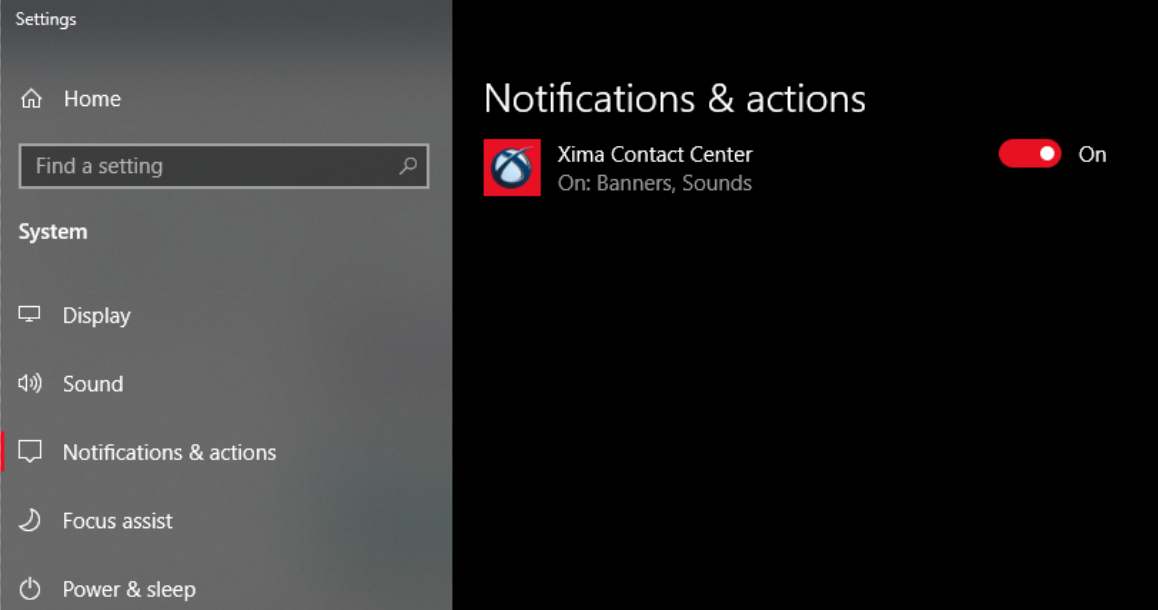
The installed Xima Contact Center application also supports Inbound Desktop Notifications, but notifications must be separately enabled for Xima Contact Center within Windows notification settings.
Updated 2 months ago