
Tiered Busy Codes/DND for Agents using CallHub
Available with 5_64+
Requires Call HubTiered Busy Codes/DND are not available for all sites yet. If you do not know if you have Call Hub enabled or if you are a good candidate for it, feel free to contact Xima Support
This article covers how to set up and use our new Tiered Busy Codes/DND when using Xima's Contact Center Agent Client (CCAC) in CallHub mode.
What are Tiered Busy Codes/DND?
- When an Agent is logged into Xima CCaaS, there may be times when they wish to be available for direct calls, but not for new calls/chats/emails coming into their assigned Skills
- This tiered approach allows them to still receive direct calls, either from DIDs or other extensions, but prevents new Skills-based calls/chats/emails from reaching them
Setting Up New Busy Code/DND Options
Creating a New Busy Code/DND Option
-
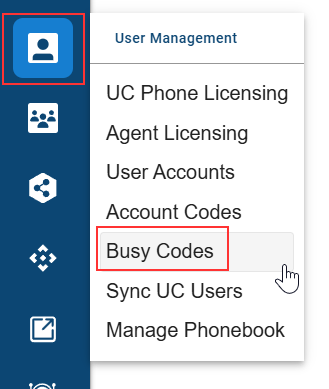
Log in to your Xima CCaaS instance with Administrator access and click the User Management icon
- This is the person icon located on the left-hand side of the screen
-
Select Busy Codes
-
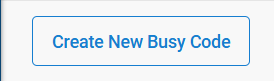
In the Busy Codes menu, select Create New Busy Code
-
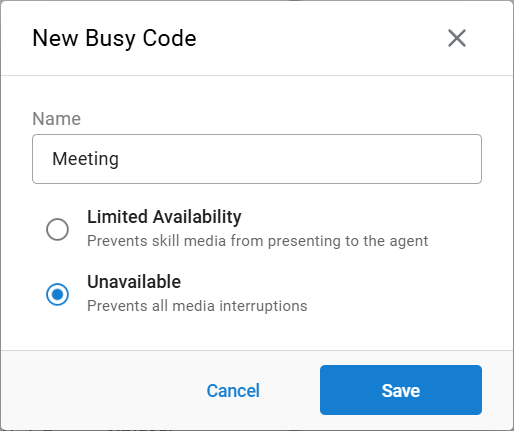
Within the New Busy Code menu, give your new Busy Code/DND option a name, and select from the two options:
- Limited Availability
- This type of Busy Code/DND option prevents new Skills-based media from reaching the Agent, including calls, chats, and emails
- This setting is useful for Agents that wish to be available for internal calls or calls directly to their DID, but no longer want to receive any media from their Skills
- This type of Busy Code/DND option prevents new Skills-based media from reaching the Agent, including calls, chats, and emails
- Unavailable
- This type of Busy Code/DND option prevents all new media from reaching the Agent, including all calls, chats, and emails, whether they are from their Skills or not
- This setting is useful for Agents that are leaving their desks and will be completely unavailable, but do not wish to log out of Xima CCaaS
- This type of Busy Code/DND option prevents all new media from reaching the Agent, including all calls, chats, and emails, whether they are from their Skills or not
- Limited Availability
-
Select Save when finished
Assigning a New Busy Code/DND Option
-
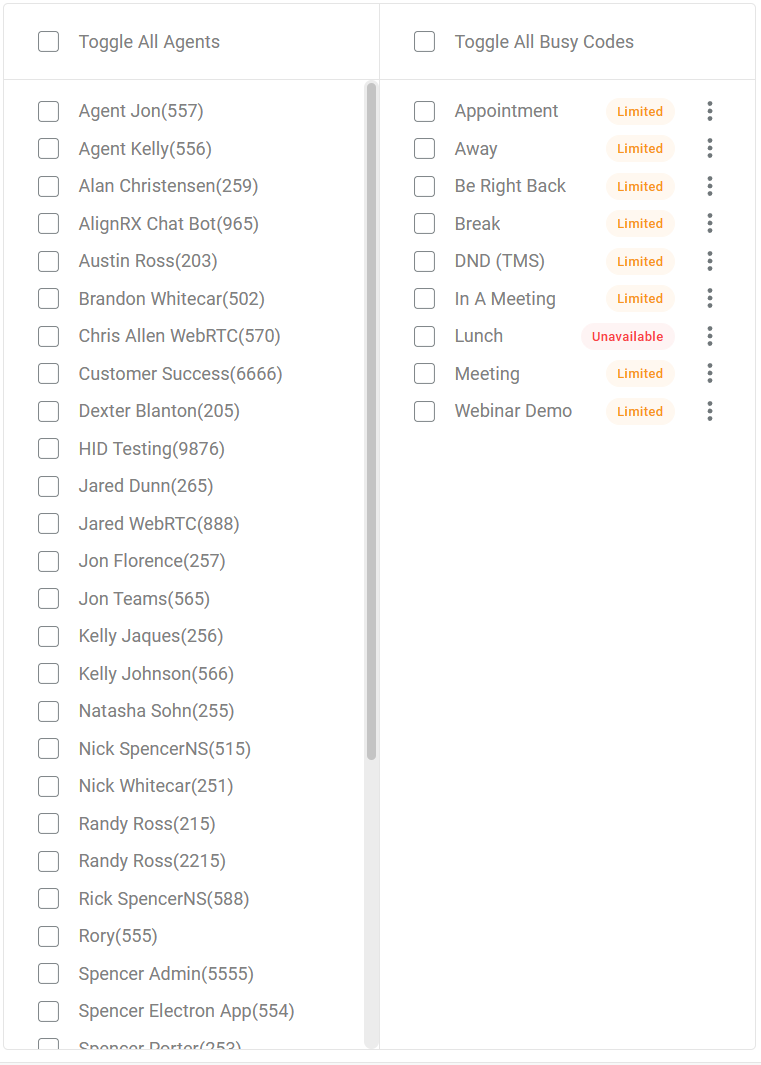
Once created, you'll need to assign the new Busy Code/DND option to your Agents by selecting the Agents from the left-hand menu, and selecting their assigned codes from the right-hand side
-
Once selected, hit Save in the bottom right

Using Your New Busy Code/DND Options as an Agent
-
Log into your instance of Xima CCAgent
-
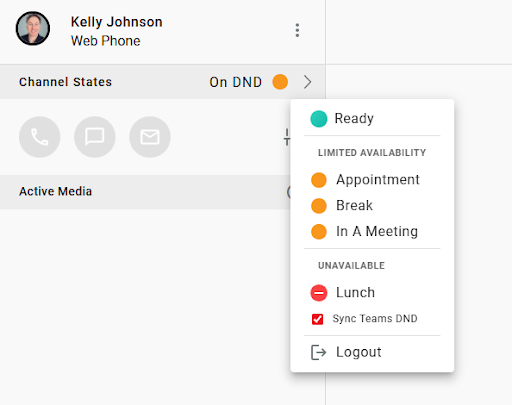
When ready to go on DND, click the right-arrow menu
-
A new version of the drop-down menu will appear, allowing you to select the new Busy Code/DND options created above
-
Select the appropriate option from Limited Availability or Unavailable, and your status will change
-
Remember:
- Limited Availability prevents any new Skills-based media from reaching the Agent, including calls, chats, and emails
- Unavailable prevents all media from reaching the Agent, including all calls, chats, and emails, whether they are from their Skills or not
-
-
When you are ready to accept all media again, select the Ready option
Updated 3 months ago