
v5.57
Available as of v5.57
Added
-
Agent Recording Access in CCAC
-
Configured agents may now review their own recorded calls inside of the agent client
-
They may listen, snip, and download the recordings but cannot delete or email them
-
To configure an agent for this access:
-
Open the applicable agent settings inside of the "Agent Licensing" or "UC Phone Licensing" menus as an Administrator. You may also select multiple agents for bulk editing
-
Select the following checkbox:

-
Save your changes
-
-
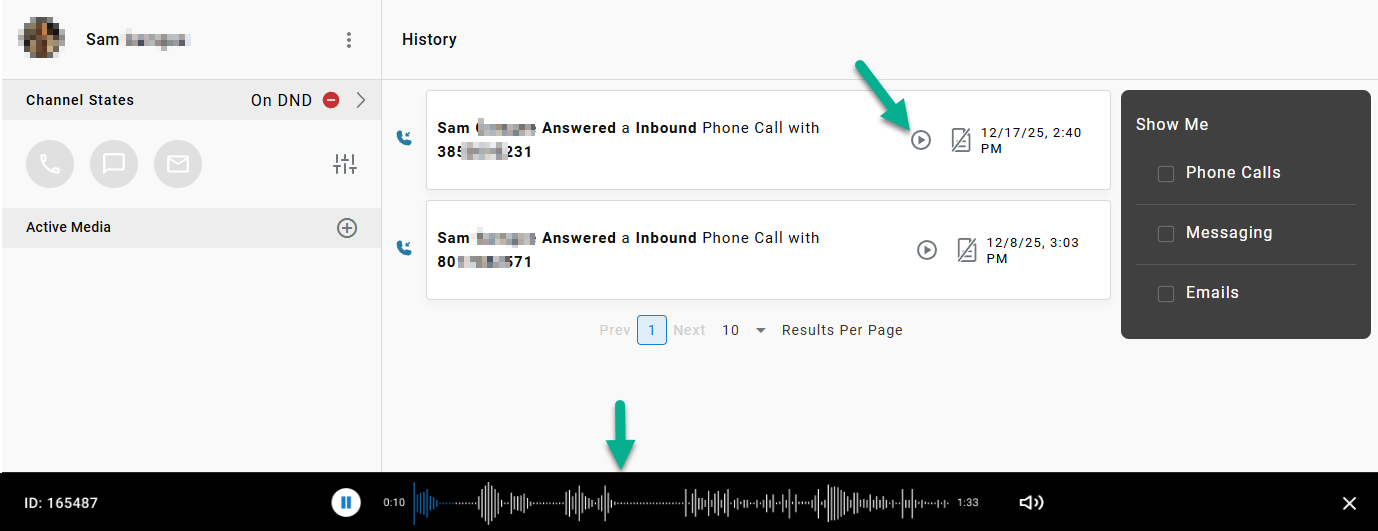
Once configured, agents will be able to open the recording playback media player by selecting the playback icon in the "View History" list:
Pause and Resume Recording API-
Programmatically pause/unpause audio recording when an agent is accepting sensitive information (like a credit card number) over the phone.
-
Documentation for the API can be found HERE.
-
Fixed
- Several small bug fixes
